
Visual Paradigm Desktop | Visual Paradigm Online

PROFESSIONAL AI PRESENTATIONS

Create Your Video Presentations in Seconds

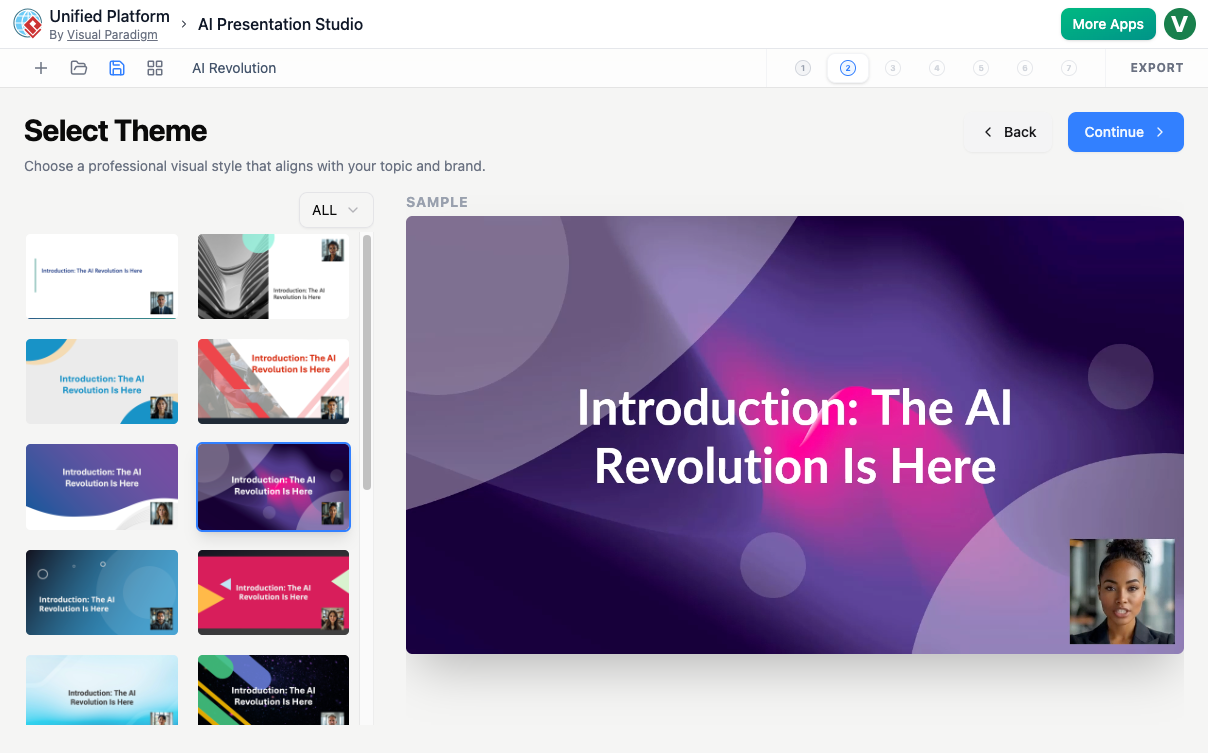
Give the AI a brief prompt to automatically lay out your slides and draft your spoken text. Preview the final look, choose your talking head presenter, and export a high-quality video file.

AI GENERATION

Intelligent AI Content Generation

Just enter a simple text prompt describing your topic to instantly generate a complete presentation draft. The AI handles the heavy lifting by writing your slide text, titles, and spoken scripts, giving you a perfect starting point that you can fully edit and refine at any time.

  • Instant Drafting

    Generates highly relevant slide text and scripts specific to your goals.

  • Full Content Control

    Gives you a flexible draft so you can easily edit or rewrite any slide content.

  • Smart Structure

    Builds a seamless presentation layout that keeps your audience engaged from start to finish.
SLIDE SELECTION

Customize Your Presentation Layout & Content

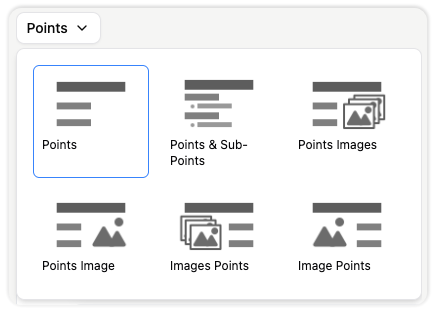
Easily switch up how your content looks with a single click. A simple layout menu lets you pick the best arrangement for your slide—whether you want clean text points, a mix of points and sub-points, or various side-by-side combinations of images and text.

  • Instant Style Swapping

    Click any layout option from the dropdown menu to instantly rearrange your current text and images without losing any of your work.

  • Text & Image Formats

    Choose from multiple arrangement styles, including clean bullet points, nested sub-points, or side-by-side text and picture combinations.

AI TALKING HEAD

Add a Talking Presenter to Your Slides

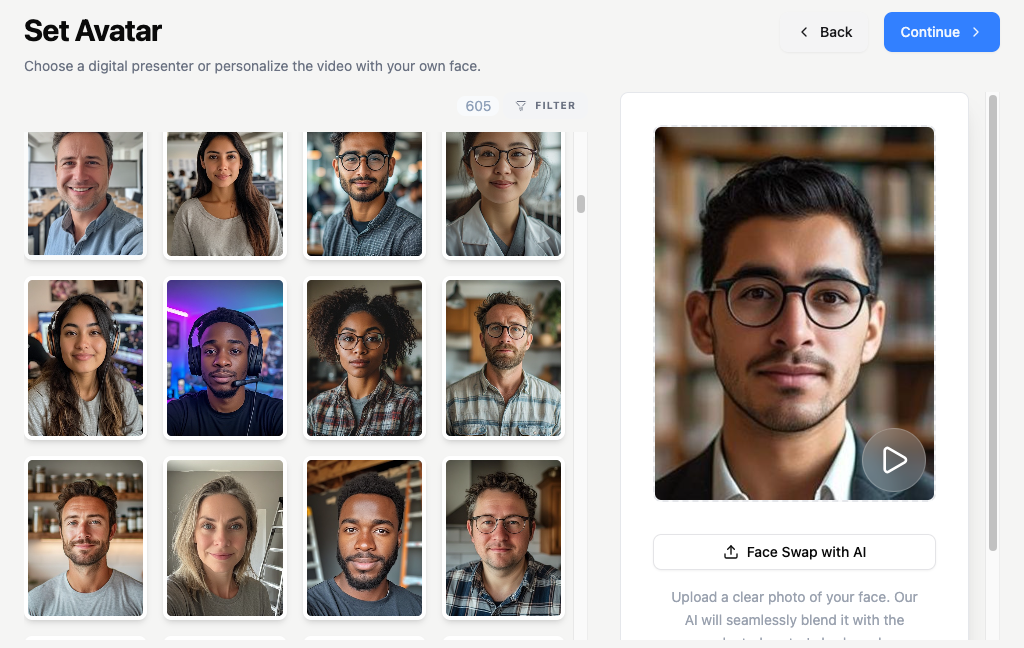
Give your presentation a human touch by adding a spokesperson directly onto your slides. Simply type out your script, select from a variety of natural voices, and pick a face from our gallery or upload your own photo to create a custom presenter.

  • Professional Roles & Occupations

    Instantly filter characters by specific roles like businessman, corporate trainer, architect, or customer success manager to match your industry.

  • Casual & Specialty Characters

    Find relatable presenters for any niche topic, from language tutors and chefs to gamers, baristas, or musicians.

  • Custom Face Swapping

    Make the presentation completely your own by personalizing the visual look of your spokesperson.

AUDIO & VOICES

Bring Your Script to Life with Natural Voices

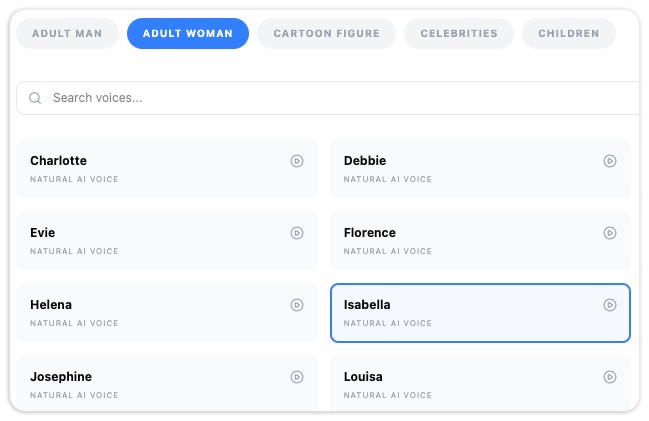
Turn your written text into high-quality, spoken narration instantly. Simply type out your presentation script and choose from an extensive library of Text-to-Speech (TTS) speakers.
  • Everyday Natural Voices

    Select from a wide range of realistic male and female voices configured for clear, professional storytelling.

  • Celebrities & Cartoons

    Inject extra energy or humor into your videos by selecting celebrity-inspired tones or playful cartoon figures.

LAYOUT EDITOR

Add Beautiful Slide Transitions

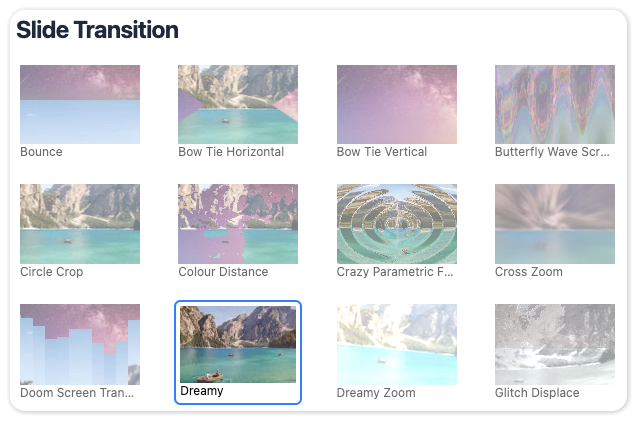
Give your final presentation video a seamless, professional flow with built-in slide transitions. Instead of harsh, sudden cuts between your content, you can easily apply gorgeous, fluid animation effects that connect your slides beautifully and keep your audience completely engaged from start to finish.

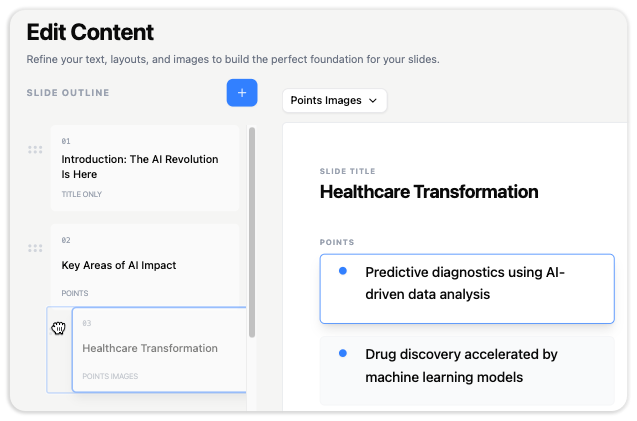
  • Flexible Slide Control

    Reorder sections easily by dragging slide pages up and down.

  • Smooth Transitions

    Apply seamless slide transitions to control how your presentation flows.

Key Features

Intelligent Content Generation

Builds a seamless presentation structure that keeps your audience engaged from start to finish.
Dynamic Media Combinations

Turn your text into visual layouts with graphics, a talking head, or both on the same slide.

High-Quality Video Export

Turn your finished slides and script into a stunning, high-quality presentation video with a single click.

FAQ

Yes. You have complete flexibility with your layouts. You can choose to show just your presentation slides, include a talking head presenter, or combine both custom graphics and a talking presenter together on the same slide.

You can easily rewrite text, add brand new slides, or remove layout you don't need. Rearranging your presentation flow is simple—just drag your slide sections up and down.

Absolutely. You can easily preview your entire presentation layout and content directly inside the editor at any time. Once you are completely satisfied with how it looks, you can export it into a final, high-quality video.

Ready to Create Your First Video Presentation?

Enter your topic to automatically generate layout slides, scripts, and a custom talking presenter all in one place.

Loading

Signing-in 3 seconds...

Signing-up 3 seconds...