
MANAGE PROFESSIONAL C4 DIAGRAMS
Turn plain-language descriptions into clear, standardized C4 diagrams—instantly powered by AI.
The AI-Powered C4 Diagram Generator is a modern, intuitive online tool designed to streamline the creation and management of C4 Model diagrams.
Built specifically for software architects, developers, and product managers, our tool goes beyond simple drawing. It combines the structured clarity of the C4 Model (Context, Container, Component, Code) with the speed and intelligence of Generative AI. This allows you to rapidly document your software architecture from a high-level system view down to detailed components, ensuring clarity and consistency across your entire project documentation.
Core Function
Generate C4 diagrams (Context, Container, Component, and supporting views) based on your project description.
Technology
It uses PlantUML for reliable, code-based diagram rendering, ensuring diagrams are always version-controllable and precise.
In the world of software maps, one diagram usually leads to another. Most tools treat these as separate pictures, but our C4 Diagram Generator links them all together. It’s like having a “Deep Zoom” feature for your entire software system.
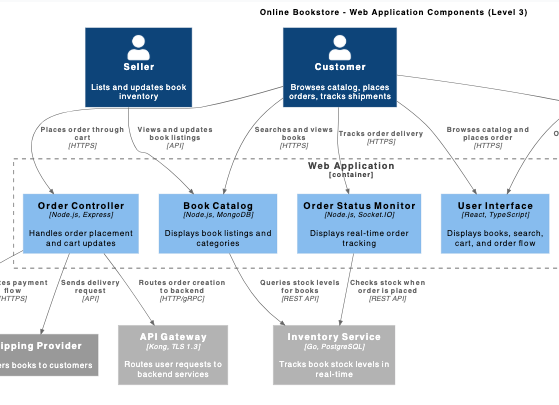
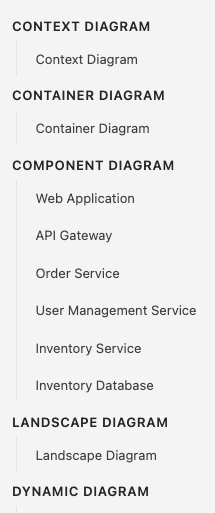
Our app is a complete solution that supports every stage of the C4 Model. We provide all the different views you need to cover every part of your software project, from the big picture down to the fine details.
Easily create Context, Container, and Component diagrams to show how your system is built.
We also support Landscape, Dynamic, Sequence, and Deployment diagrams.
Whether you are showing how data flows or where your servers live, our tool has a diagram for it.
The biggest barrier to using C4 diagrams is the steep learning curve. Usually, you have to spend days learning “the C4 way” and memorizing technical code just to draw a simple box. Our AI-powered tool skips all of that.
As your project grows, it’s easy to get buried under too many open tabs. Our Quick Diagram Browser keeps everything organized and within reach, so you never have to hunt for your work.
CONTENT
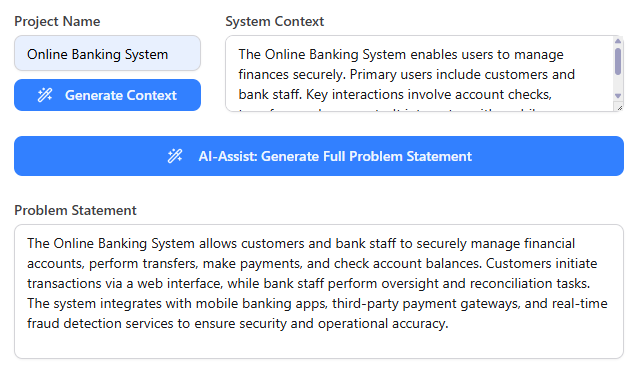
Start by entering your Project Name. Leverage the AI engine to generate initial Problem Statement and System Context content, or input your detailed description manually.

DIAGRAM TYPE
Navigate to the specific C4 level you need (Context, Container, Component, etc.). For nested diagrams (Component, Dynamic, Sequence), the tool guides you to select the appropriate parent Container or Components first, ensuring consistency and accuracy.
INSTANT RENDER
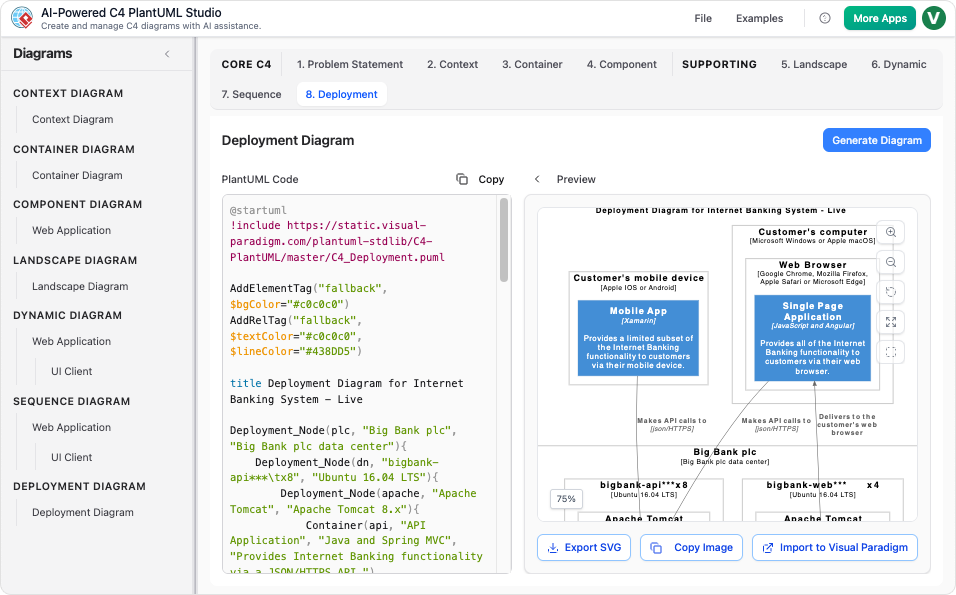
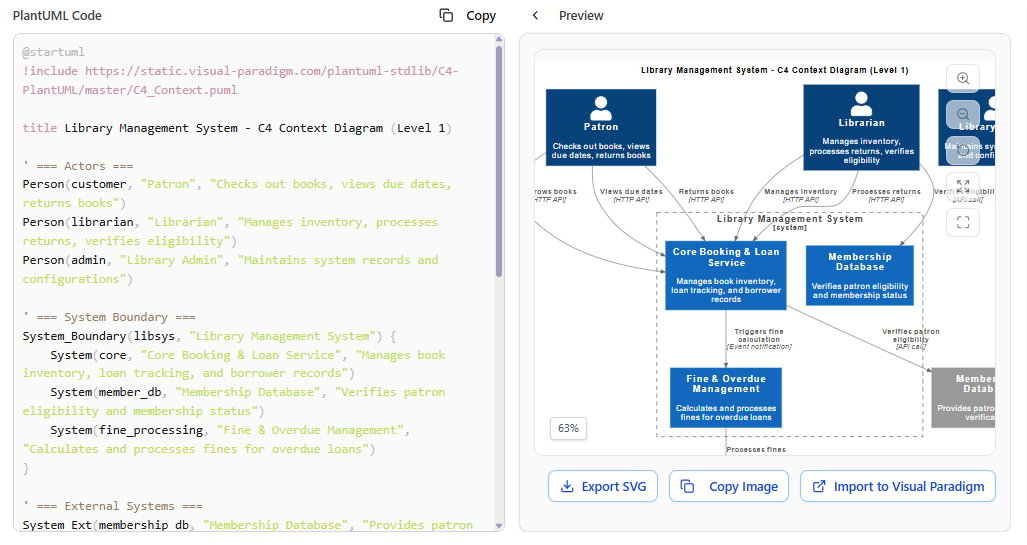
Click ‘Generate Diagram.’ The tool instantly displays the PlantUML code (left) and the rendered diagram preview (right). Once generated, the diagram is added to your list for easy switching and comparison.
OUTPUT
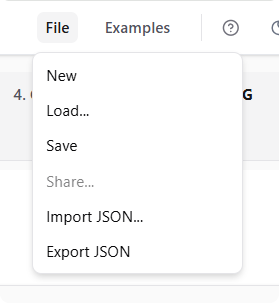
Save your entire project securely online. Use the JSON export/import feature to version control your diagrams, use them in continuous integration (CI) pipelines, or share your architecture easily with external tools.
The tool employs a robust AI engine to draft your initial Problem Statement and System Context, giving you a strong, consistent starting point without staring at a blank page.
The tool enforces the structured C4 Model flow. Dependencies are handled automatically (e.g., you select a Container before generating a Component Diagram), ensuring diagrams are linked and consistent.
Instead of memorizing syntax, you focus on architecture. The tool translates your inputs and selections into valid, complex PlantUML code instantly, with the diagram preview visible right next to it.
Instead of memorizing syntax, you focus on architecture. The tool translates your inputs and selections into valid, complex PlantUML code instantly, with the diagram preview visible right next to it.
Not at all! That is the best part of using AI. Usually, you would have to spend hours studying the C4 Model "rules" and learning a specific technical language (PlantUML) just to draw a diagram. With this tool, you just describe your system in plain English, and the AI handles all the technical formatting and rules for you.
It means our tool covers your entire project from start to finish. Some tools only let you draw one type of map, but we support everything: the "Big Picture" (Context), the technical "Boxes" (Containers), the internal "Parts" (Components), and even where your servers live (Deployment). You won’t need to switch between different apps to document your project.
Yes! The AI gives you a perfect head start by generating the diagram and the code instantly. If you want to make a specific tweak, you can edit the code or ask the AI to update it for you. You get the speed of AI with the total control of a manual editor
Instantly generate Context, Container, and Component diagrams from natural language descriptions.