



This article is part of the larger Annotator Help Center. If you’re looking at this guide, you likely found it by:
-
Clicking the “Help” or “Support” link, usually found at the bottom of the main Annotator website or within the sidebar menu of the application itself.
-
Searching for terms like “moderation,” “pending annotations,” or “reviewing comments” within the Help Center search bar.
We recommend bookmarking the main Help Center page so you can easily find guides like this one in the future!
Who is this guide for?
-
Annotator Users creating comments in a group that uses a special Pre-Moderation system.
-
Annotator Users who have been given the “Moderator” role in a group.
What is Pre-Moderation? (A Simple Explanation)
Imagine Pre-Moderation as a review system or a gatekeeper for group comments.
In a normal group, when you post an annotation (a comment), it is visible to everyone in the group immediately.
With Pre-Moderation, your new annotation is temporarily held back and is not immediately visible to the entire group. It goes into a review queue where a designated Moderator must read it and decide if it meets the group’s guidelines.
This system is used when group owners want to ensure that all discussions are safe, relevant, and respectful before they are made public.
Key Point: Only two types of people can see your annotation while it’s being reviewed:
-
You (the author).
-
The Moderators of the group.
Annotating in a Pre-Moderation Group (For Commenters)
When you post a new annotation in a group that uses Pre-Moderation, you will see a “Pending” label appear right next to your comment.
This “Pending” label simply means: “Your annotation is waiting for a Moderator to review it.”
Once the Moderator reviews your comment, one of two things will happen:
| Status | What It Means | What Happens Next |
| Approved | The comment is good to go! | The “Pending” label is removed, and your annotation becomes visible to everyone in the group. |
| Declined | The comment does not meet the group’s rules. | You will see a “Declined” label. Your annotation remains invisible to other group members. |
What if my annotation is Declined?
-
You can edit it: You can change your comment to fix any issues. When you save your edit, the status automatically goes back to “Pending,” and the Moderator will review the updated version.
-
Check the rules: We highly recommend you review the group’s guidelines or terms to understand why your comment was declined. You may also receive an email from the group moderators explaining the issue.
Moderating in a Pre-Moderation Group (For Reviewers)
As a Moderator, you are responsible for reviewing annotations and maintaining the quality of the group’s discussion.
Why Group Owners Use Pre-Moderation
Group owners use this feature when they want to actively manage the content posted, ensuring the conversation always meets their community guidelines, class rules, or terms of service. It acts as a safety measure, requiring an administrative review of every comment before it appears in the Annotator sidebar.
Before Using Pre-Moderation
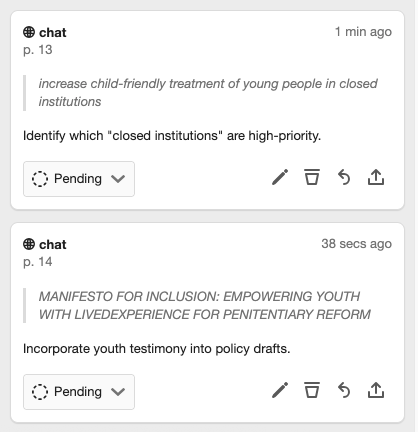
Annotator Pending Pre-Moderation
If you are a group owner and want to use this feature, please note:
-
Pre-Moderation is a specialized setting. It must first be enabled for your group by the Annotator Support Team.
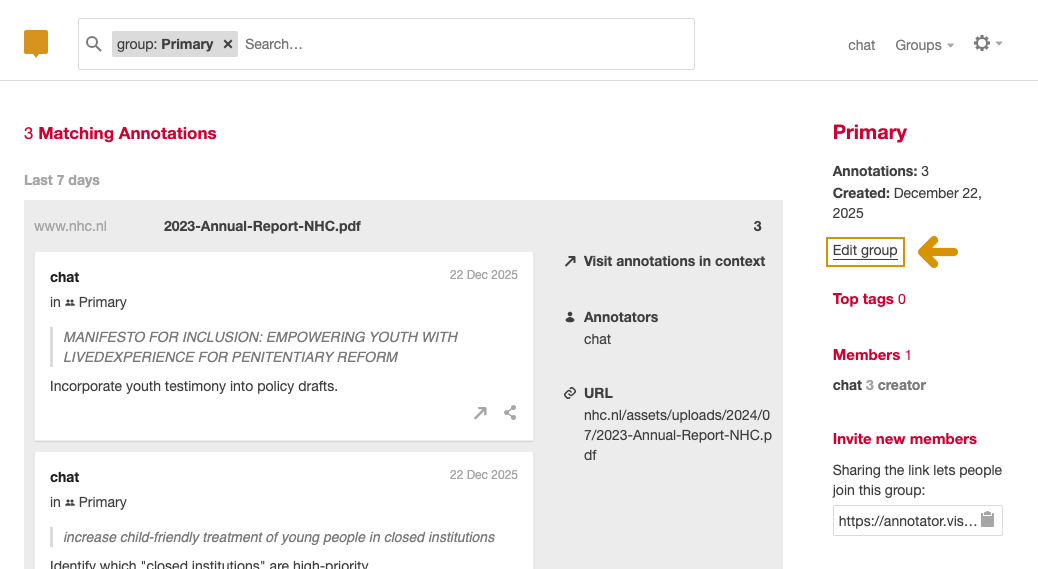
Annotator Edit Group Options
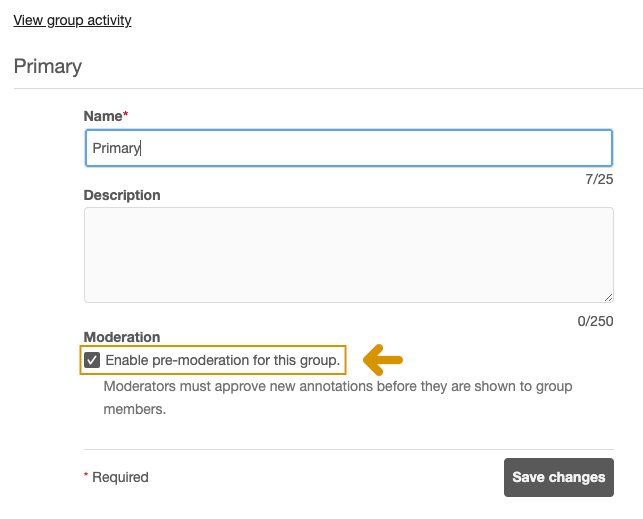
Annotator Enable Pre-Moderation
-
Once it’s turned on, all new annotations will automatically be labeled as “Pending.”
-
The group owner is automatically a Moderator, and they can assign the Moderator role to other trusted group members.
How to Moderate Annotations
Moderators can review and change the status of annotations directly within the Annotator tool.
1. Finding Annotations for Review:
-
In the Annotator Sidebar: Annotations waiting for review are marked with the “Pending” label.
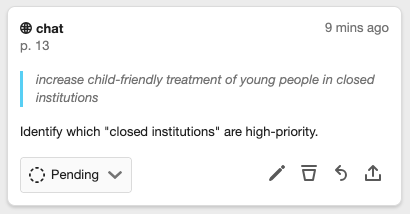
Annotator Pending Comment
-
In the Moderation Queue: For a full list, you can go to the Group Activity Page and then navigate to “Edit Group” > “Moderation.” This queue is the easiest way to manage a large number of comments.

Annotator Comment Approval Queue Options
2. Status Options for the Moderator:
When reviewing an annotation, you have four status options to choose from:
| Status | Moderator Action | Effect on the Annotation |
| Approve | The comment is ready. | The annotation becomes visible to everyone viewing the group. |
| Decline | The comment is not appropriate. | The annotation remains invisible to other group members, but the author and moderators can still see it. |
| Spam | The comment is junk or malicious. | The annotation is treated similarly to Declined—it remains invisible to other group members. |
| Pending | No decision made yet. | The annotation is kept in the queue, visible only to the author and moderators. |
What Happens When an Annotation is Edited?
-
If an author edits an annotation that was previously Approved or Declined (but not Spam), the annotation’s status automatically reverts to “Pending.”
-
This is a safeguard: the Moderator must re-approve the edited version to make sure the changes still meet the group’s standards.
Important Moderator Note: Latest Version
If you are moderating and an annotation is edited while you are viewing it, the system will notify you that the annotation has changed. You must reload the annotation to see the newest version before you can Approve or Decline it. This ensures you are always reviewing the final, most current text.
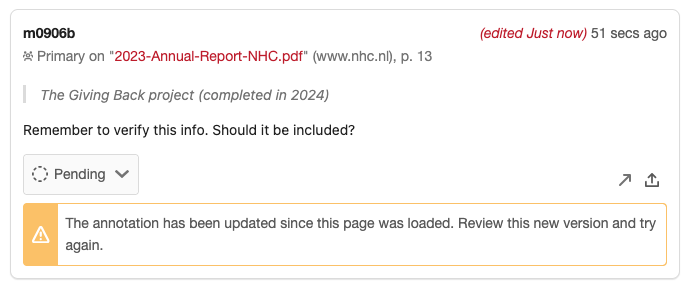
Annotator Comment Approval Editing Updates
Notifications for Authors
The author of the annotation will receive an email notification whenever the status of their comment changes (e.g., from Pending to Approved, or Pending to Declined). This keeps them informed about the review process.