
If you want to save a note that nobody else can see, follow these simple steps using Annotator:
-
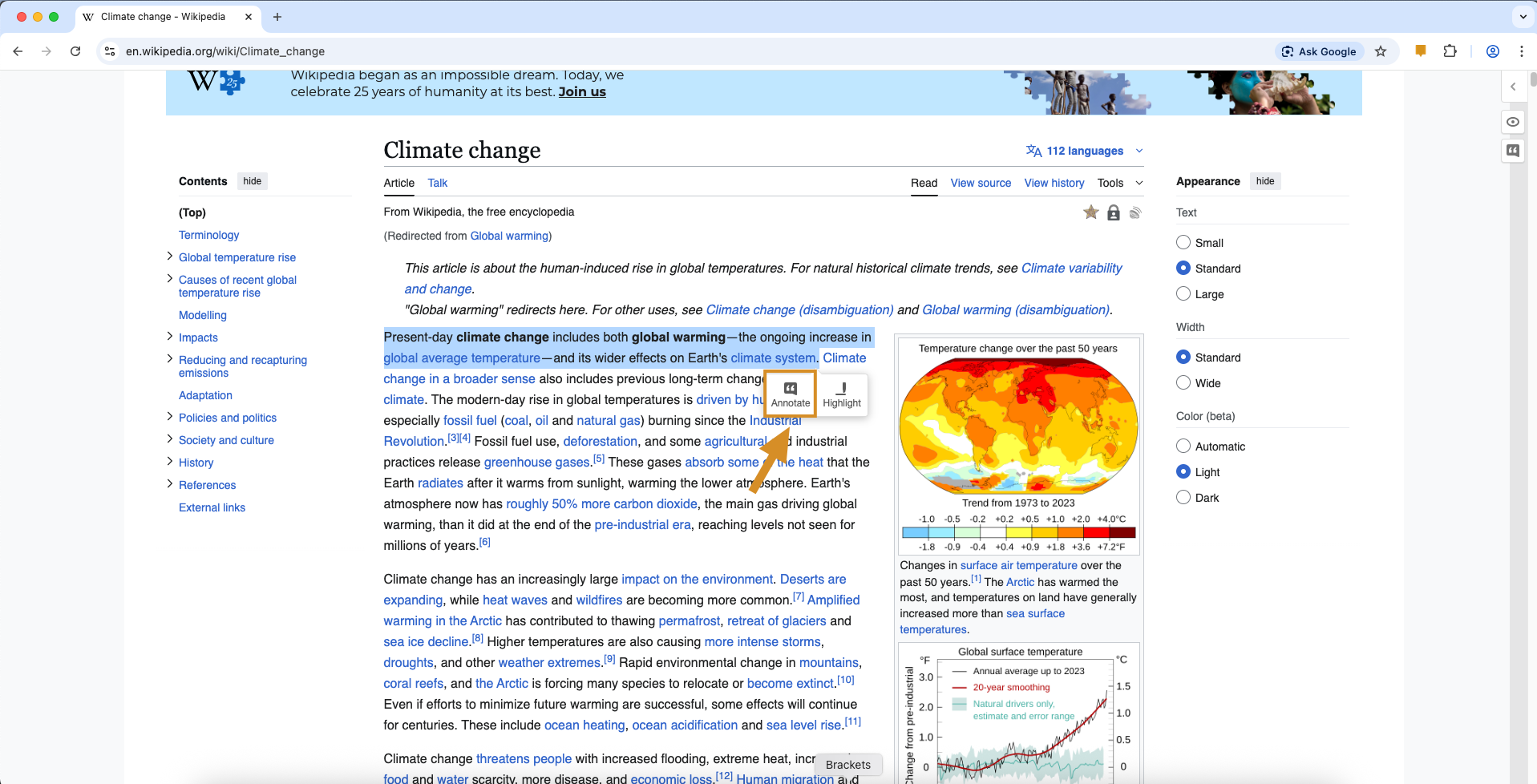
Highlight and Select Use your mouse to highlight the text you want to talk about. A small button will pop up; click on “Annotate.”
-
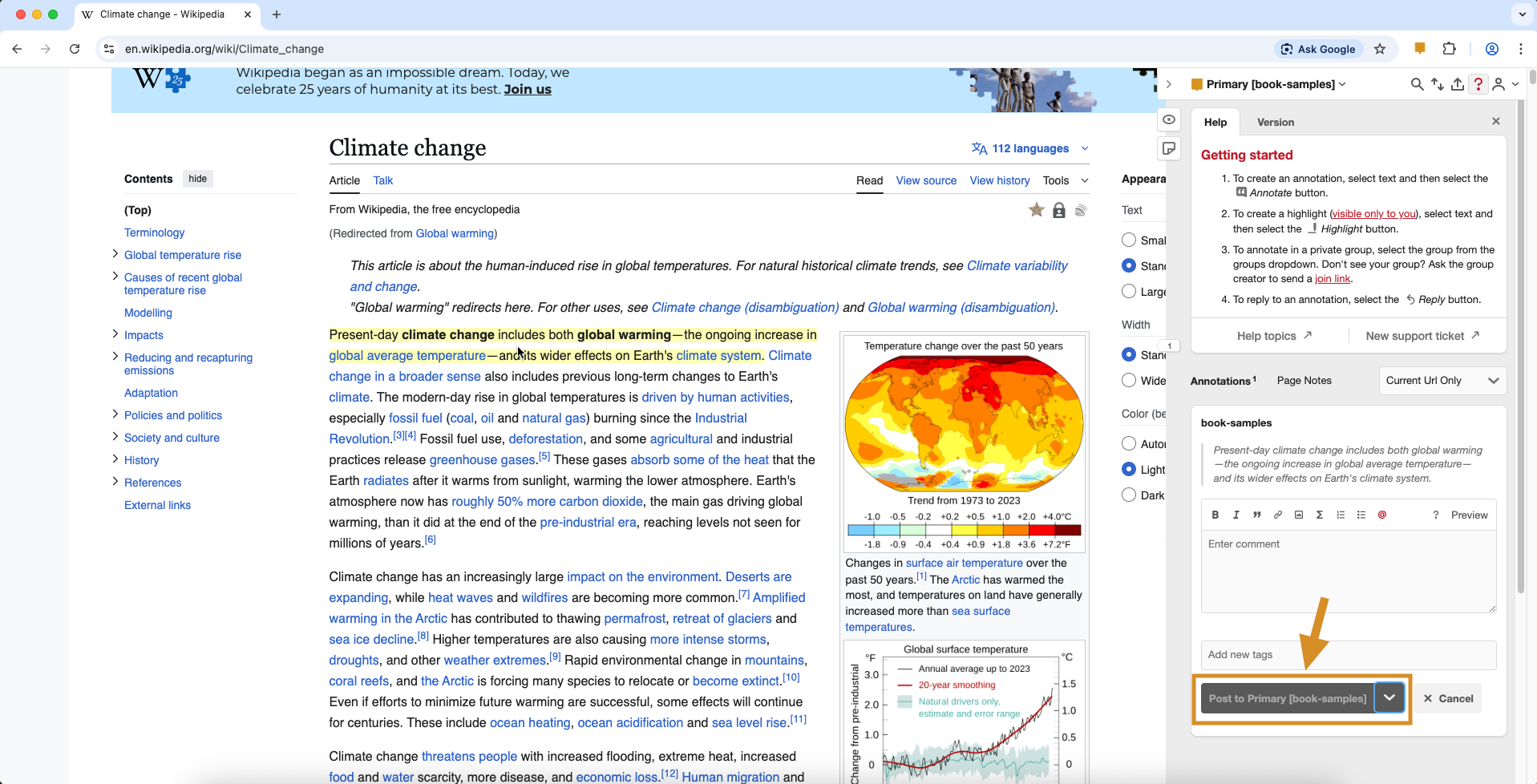
Write Your Note Type your thoughts into the box that appears. Before you save it, look for the small arrow next to the “Post” button.
-
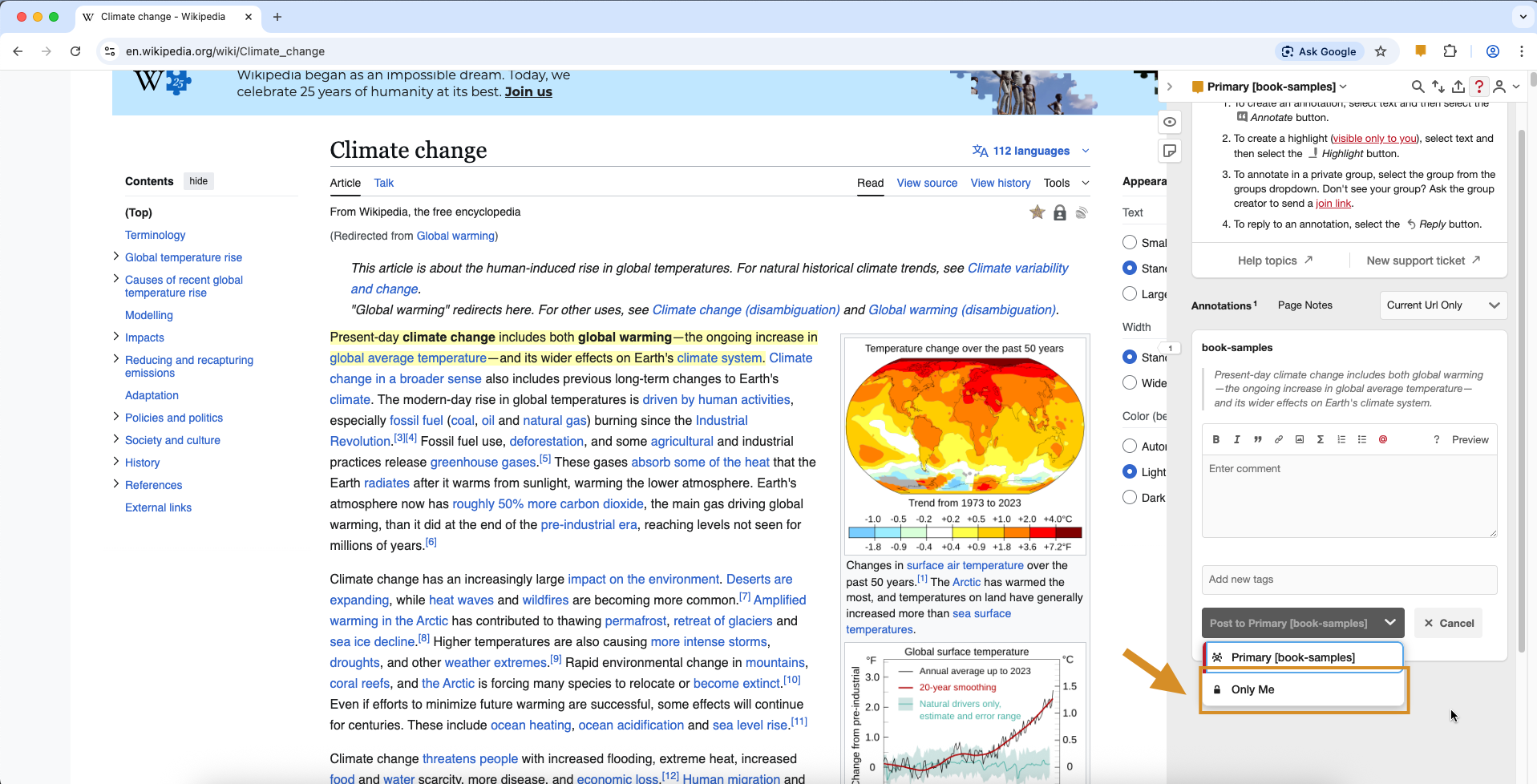
Choose “Only Me” Click that arrow and pick “Only Me” from the list. This tells the tool to keep this note private.
-
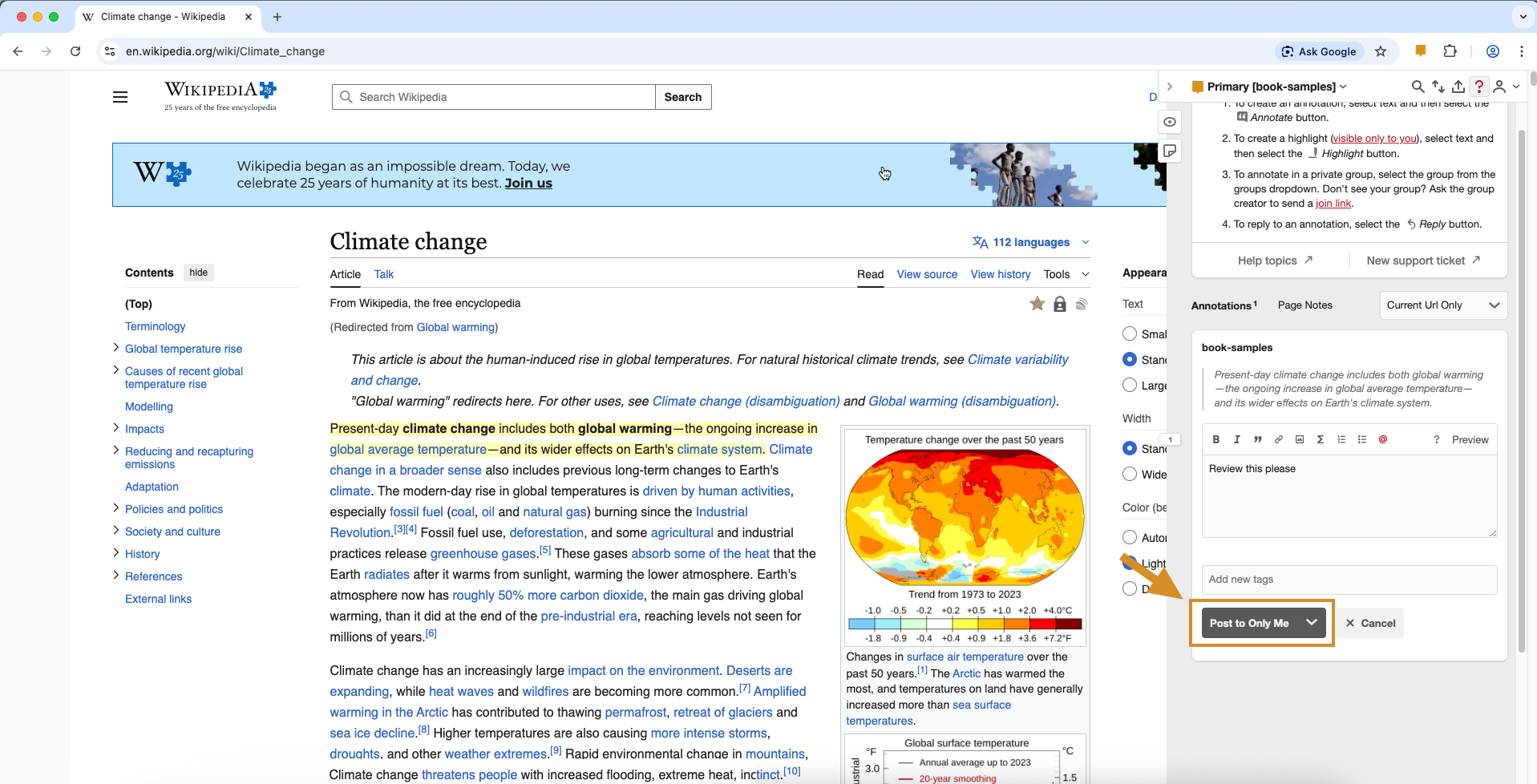
Save Your Work The button will now say “Post to Only Me.” Click it, and your note is saved!
How do I know it’s private? Once saved, you’ll see a small lock icon on your note. This is your confirmation that you are the only one who can see it.
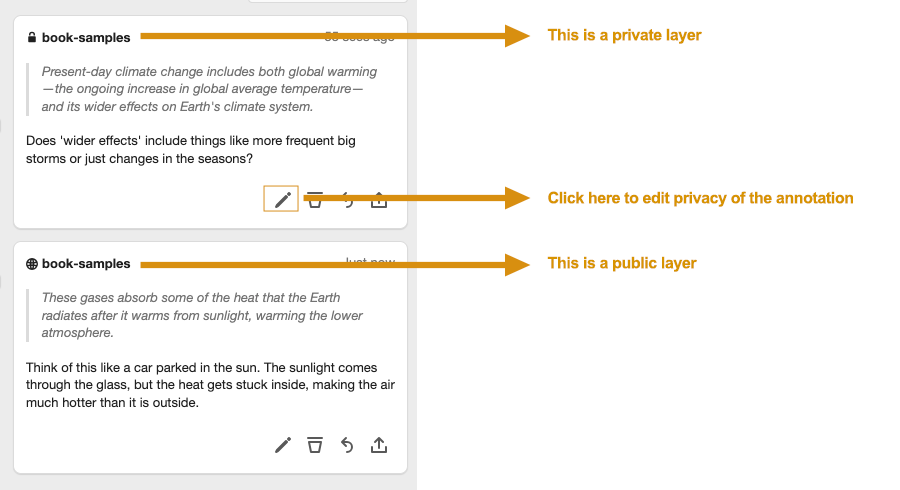
Want to change it later? If you decide you want to share your note with others (or make a public note private), just click the pencil icon at the bottom of your note to change who can see it.