
The AI JSON CRUD Table Maker is a powerful tool designed to simplify your entire data management process, from start to finish.
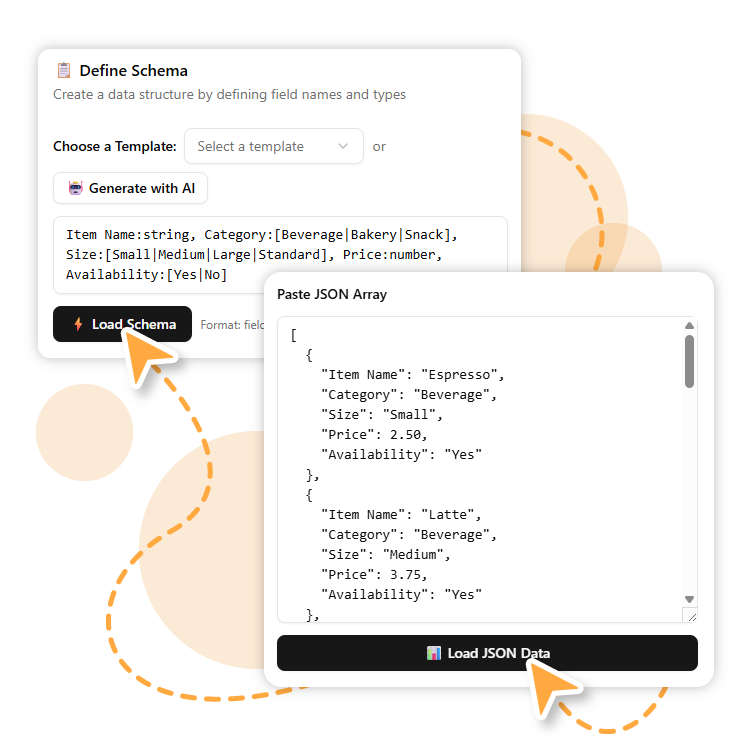
Start by either loading an existing JSON array or defining a schema to build a new table from scratch.
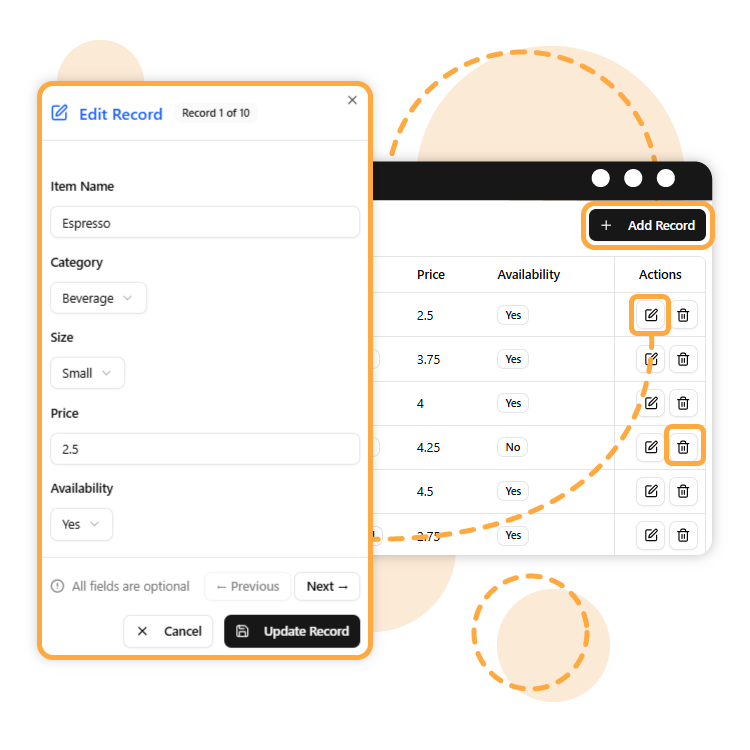
Add, edit, or delete rows. You can even use the AI to generate new data to quickly populate your table.
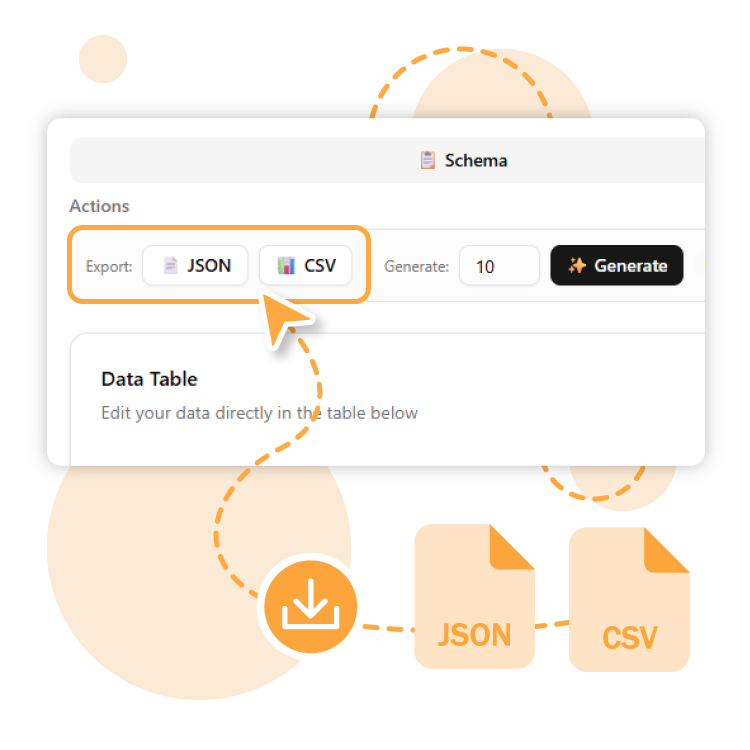
Once your table is finalized, you can export it to your desired format.
The best part is the continuity! If you choose to export your table as JSON, you can easily reload that file into the tool at any time to continue editing your data where you left off. This ensures a seamless and iterative workflow.
When all edits are complete and the table is perfect, you can choose to export your final dataset in two popular formats: JSON or CSV.
What is it? This format saves your data as a new JSON array, maintaining the same structured, key-value pair format as your original data. It’s the native format for web data.
Common Use Cases:
What is it? Comma-Separated Values is a simple, plain-text format for storing tabular data. Each record is on a new line, and each field is separated by a comma.
Common Use Cases: