
AI-POWERED DIAGRAM GENERATION
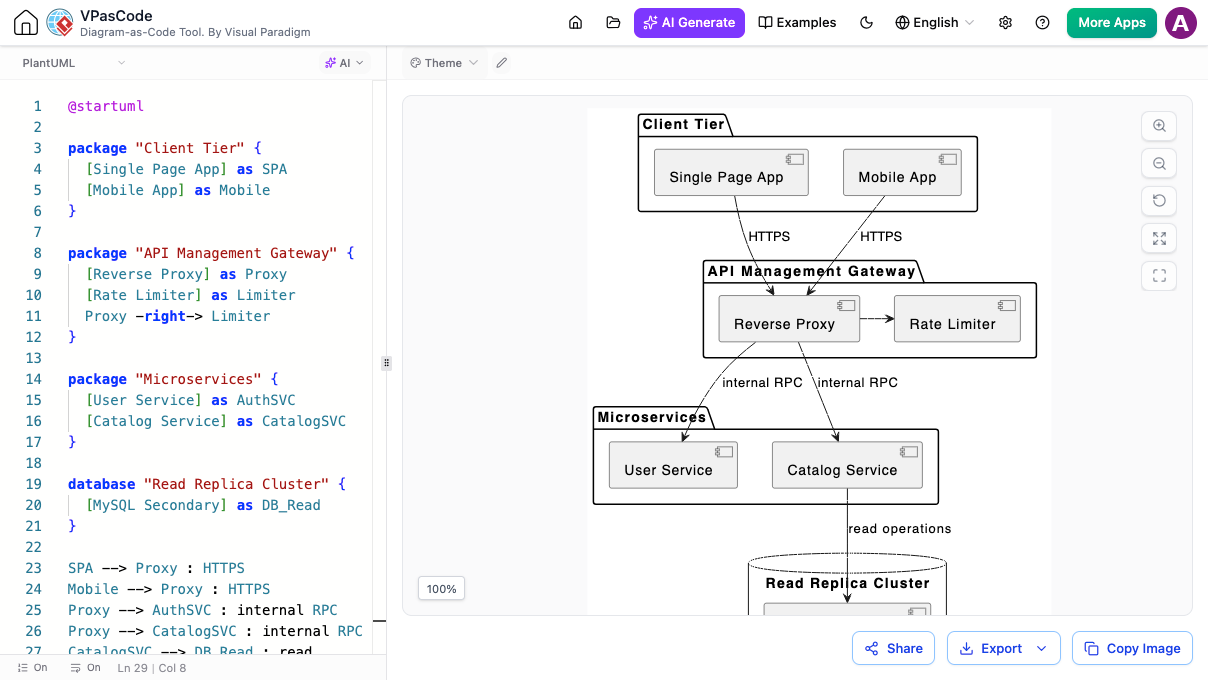
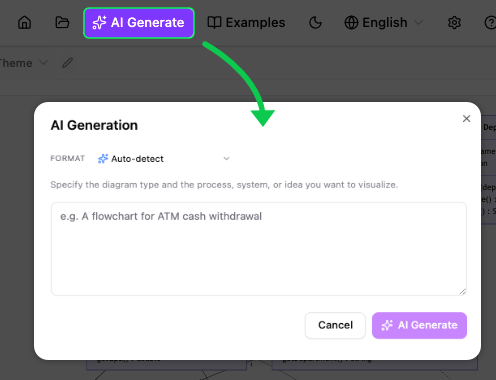
You don’t need to know how to write special code or formulas to use this tool. VPasCode comes with built-in, AI-powered tools that make diagramming completely effortless.
Don't know how to start? Just type a simple sentence describing what you want—like "Show a user logging into a website"—and the AI will automatically create the entire diagram for you from scratch in seconds.
If you make a quick typo while typing your notes and the drawing stops showing up, the tool highlights the mistake. Simply click "Fix by AI," and it instantly repairs the typo so your drawing comes right back.
If you need to share your diagram with people around the world, you can translate every single label, title, and note into another language with just a couple of clicks.
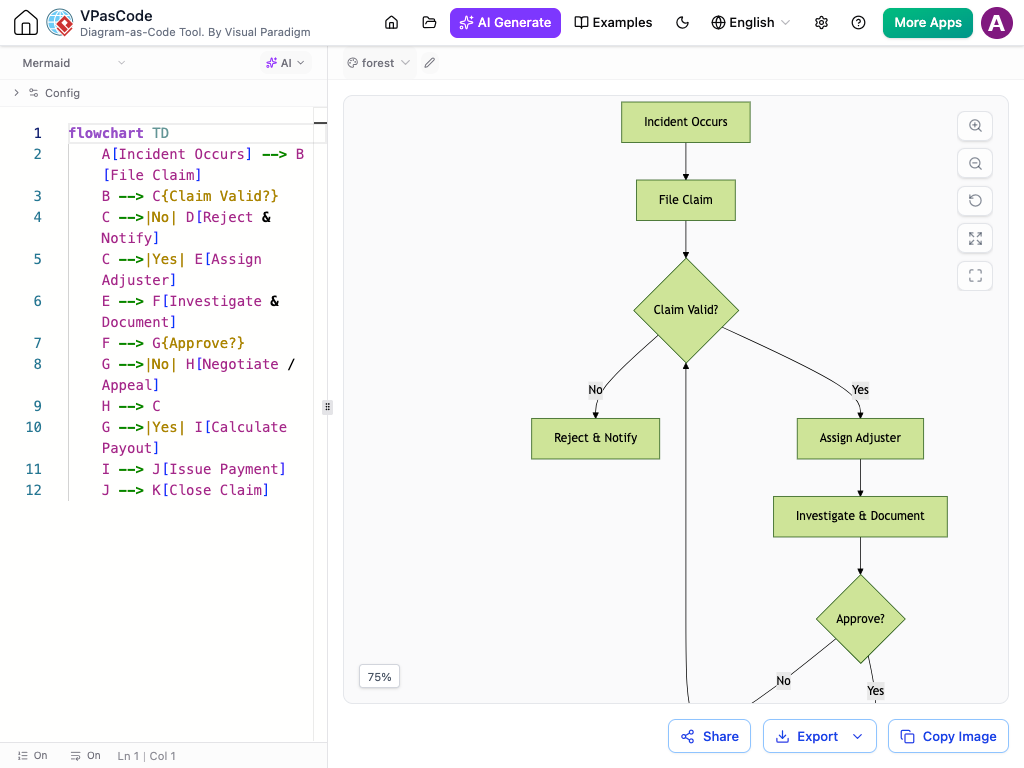
VPasCode is a free website by Visual Paradigm that lets you build clean, professional diagrams by simply typing text. Instead of spending hours clicking, dragging shapes, connecting lines, and trying to align boxes perfectly, you just type out your ideas, and the tool draws the diagram for you instantly on the screen.
It runs entirely in your internet browser, so you don't have to download or install anything.
You can create, edit, and download your drawings without needing a credit card or paying a dime.
As you type your notes or steps, your drawing changes and updates right before your eyes.
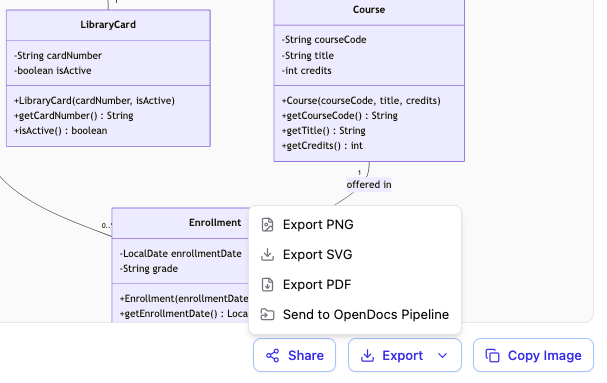
You can download your diagrams as high-quality images or PDFs. Even if you zoom all the way in, the lines and text stay perfectly crisp and never look blurry.
Create a simple website link for your diagram so you can email it to team members or clients for quick feedback.
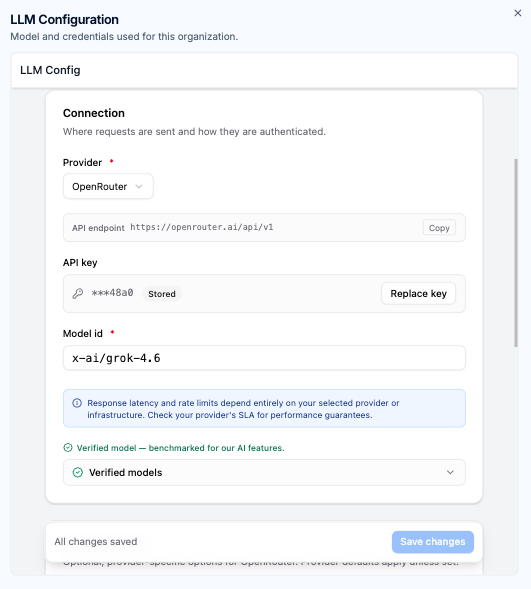
Connect directly to major AI providers like OpenAI, Anthropic, Google, and DeepSeek using your existing commercial subscriptions and corporate credentials.
Fine-tune generation behavior across your workspace by adjusting max output tokens, model IDs, and reasoning modes for complex architecture tasks.
Workspace managers configure settings once at the administrative level, instantly applying secure routing across all authorized team members.
Enjoy full use of the web-based workspace with no setup required.
Let the system instantly recognize your diagramming language as you type.
Watch your written logic transform into precise charts automatically.
Download your finished diagrams easily as high-quality PNG or SVG files.
Generate collaborative links to share your work with your team for quick feedback.
Create complete architecture maps and visual models from scratch using plain-language text prompts.
Update and refine existing visuals easily to add, remove, or change sections without manual editing.
Catch syntax issues in real time and fix typos or missing symbols with a single click.
Instantly translate diagram titles, labels, and comments across different languages without breaking your code structure.
Seamlessly connect and send your work directly to the OpenDocs pipeline.
VP Online: Combo Edition or higher.
VP Desktop: Professional Edition or higher (with an active maintenance plan).
Note: Active users of VP Desktop Professional Edition (or higher) receive free access to VP Online Combo Edition web apps, unlocking complete use of all premium features.
Bring all your text-to-diagram tools together. Write code for PlantUML, Mermaid, Graphviz, ECharts, and Markmap inside one simple screen.
Build complex system architectures from simple text instructions. Our built-in AI turns your regular words into perfect diagram code in seconds.
See your layout update instantly as you type. Watch your written logic transform into clear, precise charts without any manual dragging and dropping.
Create complete charts from scratch using simple text prompts. Easily add new steps, remove sections, or change existing layouts without any manual editing.