


Visual Paradigm Desktop | Visual Paradigm Online

Professional Web Design for Everyone

Create Stunning Websites in Minutes

Designed for both beginners and professionals, this powerful tool combines the simplicity of a drag-and-drop interface allowing you to build beautiful, responsive websites faster than ever before.

page-builder-1
What is
Page Editor?

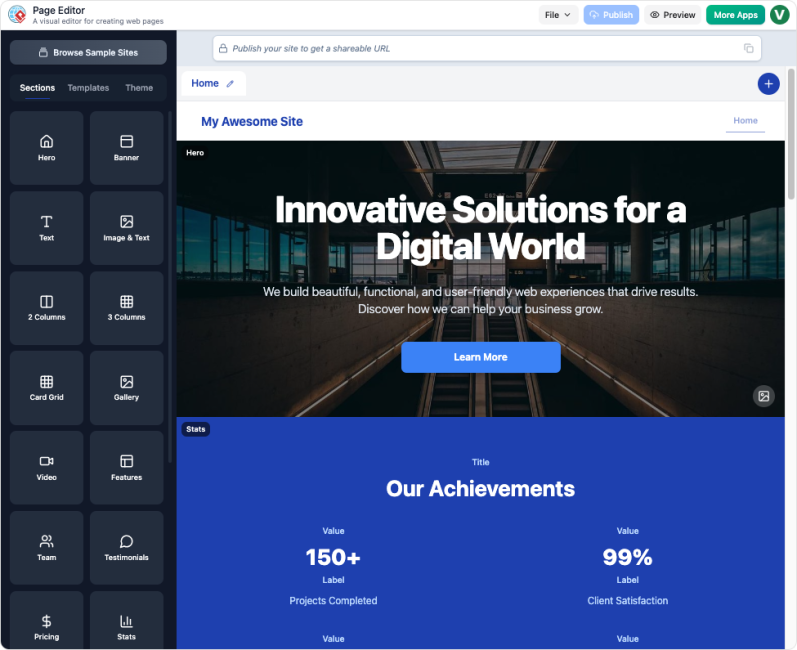
Page Editor is a dynamic, all-in-one website creation platform built around the concept of modular, section-based design. It is your visual interface for web development, allowing you to drag, drop, edit, and publish multi-page sites directly in your browser.

Why Visual Paradigm

Build in Seconds with AI

You don’t need to start with a scary blank page. Just tell the AI what kind of website you need in plain English, and it will instantly build a layout for you. It’s like having a professional designer draft your first version in seconds.

Fast Inline Editing

Our components are flexible to fit your needs. Need to add an extra button? Want to remove a list item? Every part of your page is fully editable. You can add, remove, or change items with just a few clicks to make the site truly yours.

Professional Look, Zero Effort

Our library is packed with “ready-to-use” sections that look like they were made by a high-end agency. Every piece is designed to match perfectly, so no matter how you mix and match them, your website will always look clean, consistent, and professional.

Click, Stack, & Move

Building your page is as simple as picking from a menu. Just click a section in the sidebar to add it, then drag it up or down to change the order. You can even use the quick-add and delete buttons to instantly pop in new items or toss out what you don’t need. It’s a fast, stress-free way to organize your site without the technical headache.

Explore Section-Based Design

When you open Page Editor, you start with a functional demo site. From there, your site is composed of customizable blocks—or “sections.” Here are some key elements you can add:

Hero

The critical first section on any page. Use it to introduce your site/product with a compelling headline, call-to-action (CTA) button, and an eye-catching background image or video.

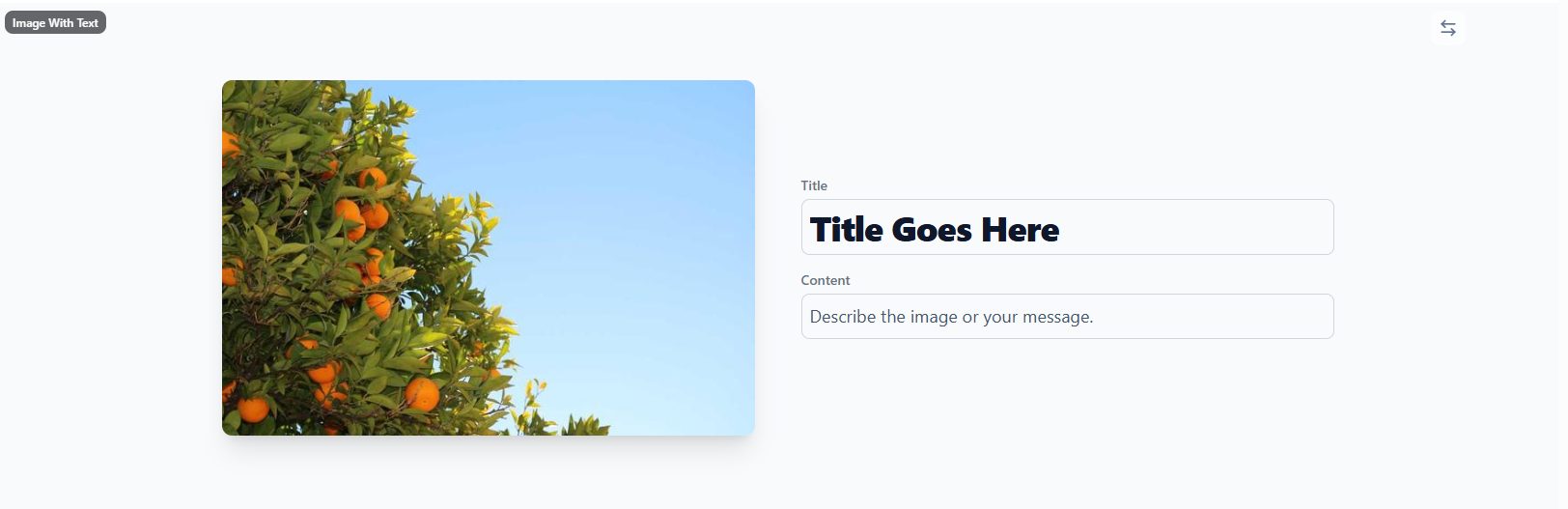
Add visual context, product shots, or personal photos, with the text blocks to explain the content of the image.

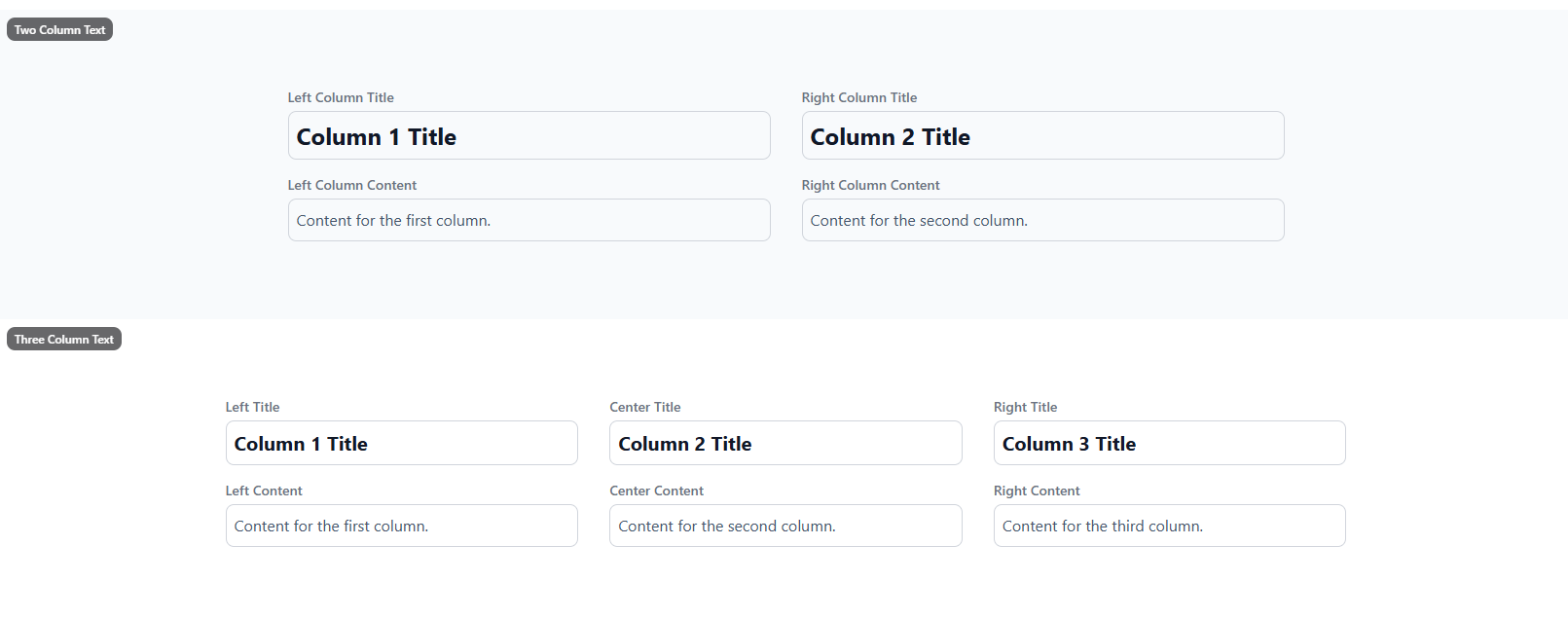
Divide a section horizontally into 2 or 3 columns to arrange text side-by-side, perfect for feature lists or side-by-side comparisons.

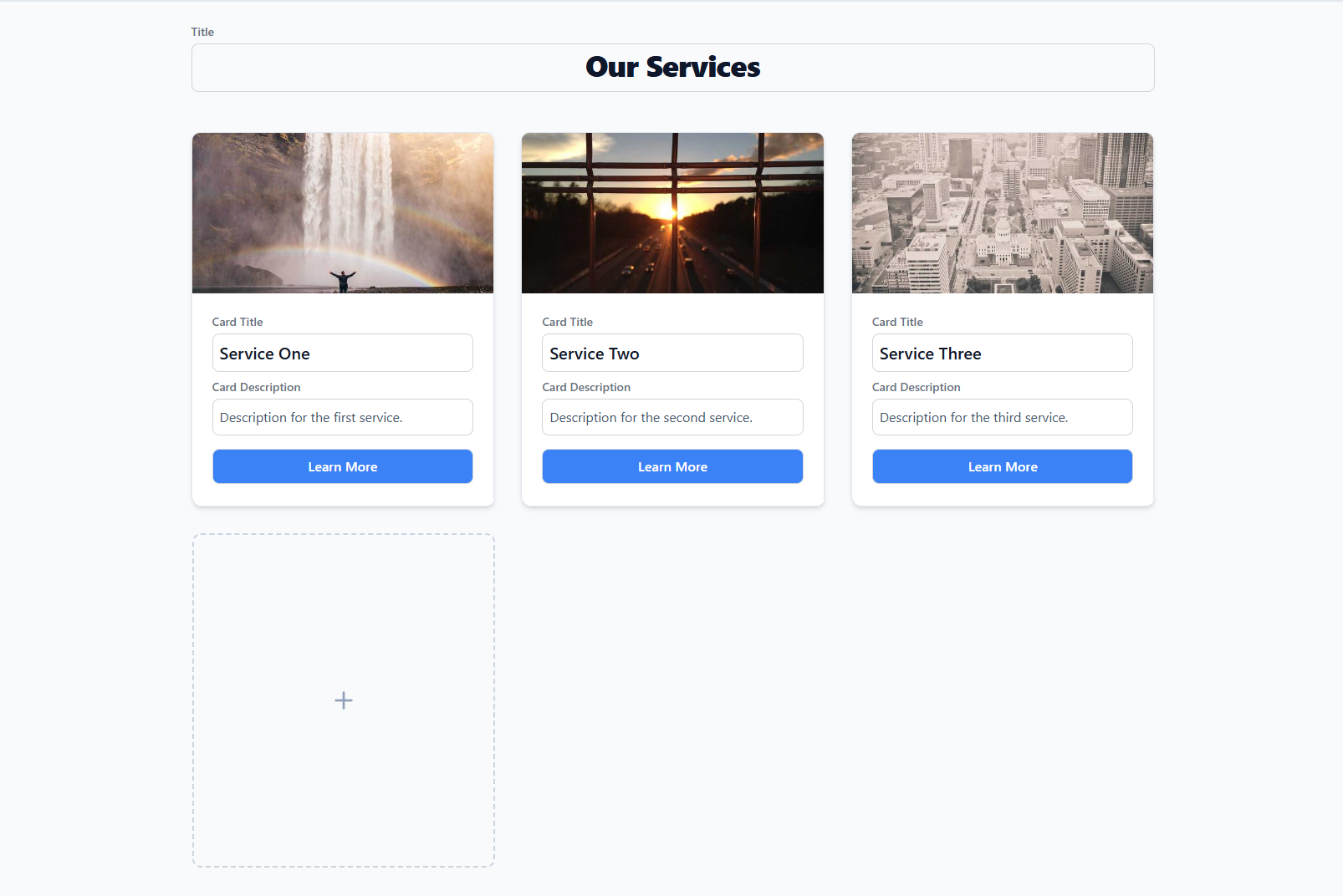
A dynamic layout component for showcasing multiple items in an organized, responsive matrix. Ideal for product listings or team member profiles.

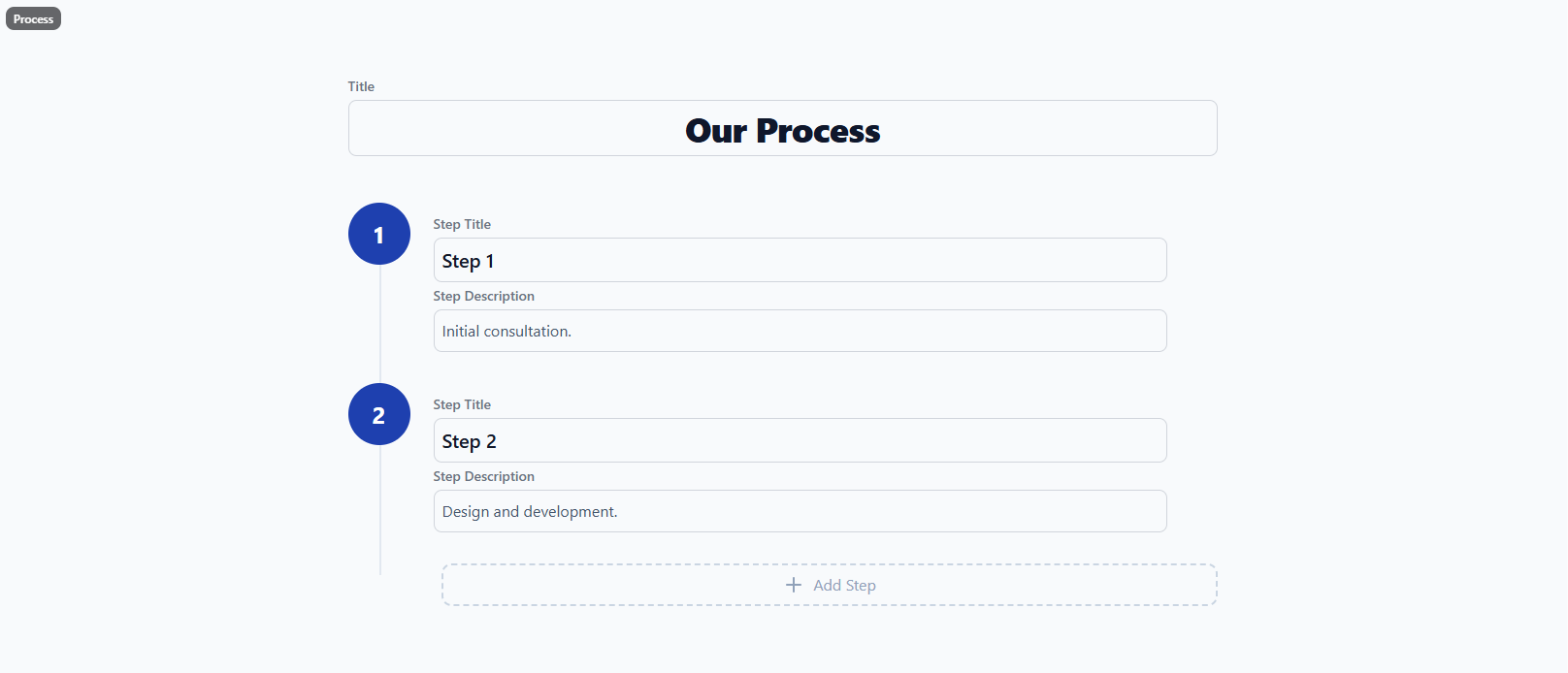
Visualize step-by-step workflows or timelines. Perfect for steps or guides, simplifying complex procedures into easy-to-follow stages (e.g., “Step 1, Step 2, Step 3”).

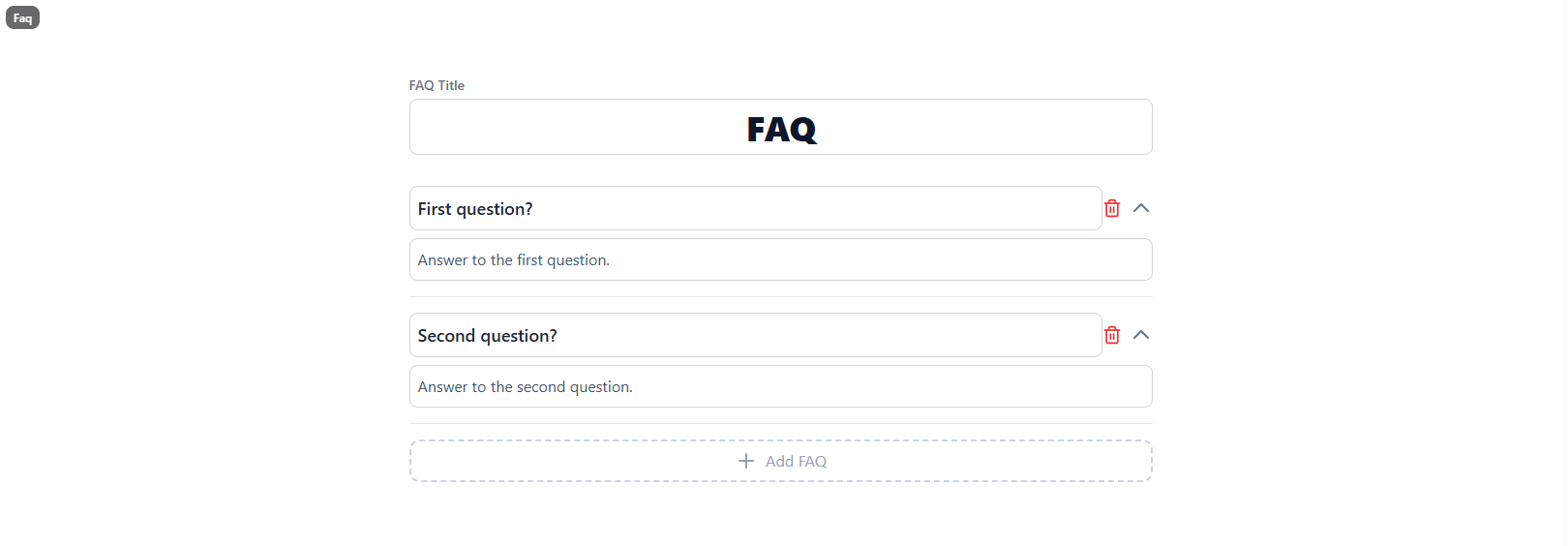
An interactive accordion layout that organizes common questions and answers. It saves vertical space while providing quick solutions to user queries, building trust and reducing support tickets.

A dedicated section for connection. Easily display your email address and phone number.

Explore more elements in the Page Editor

TEMPLATES

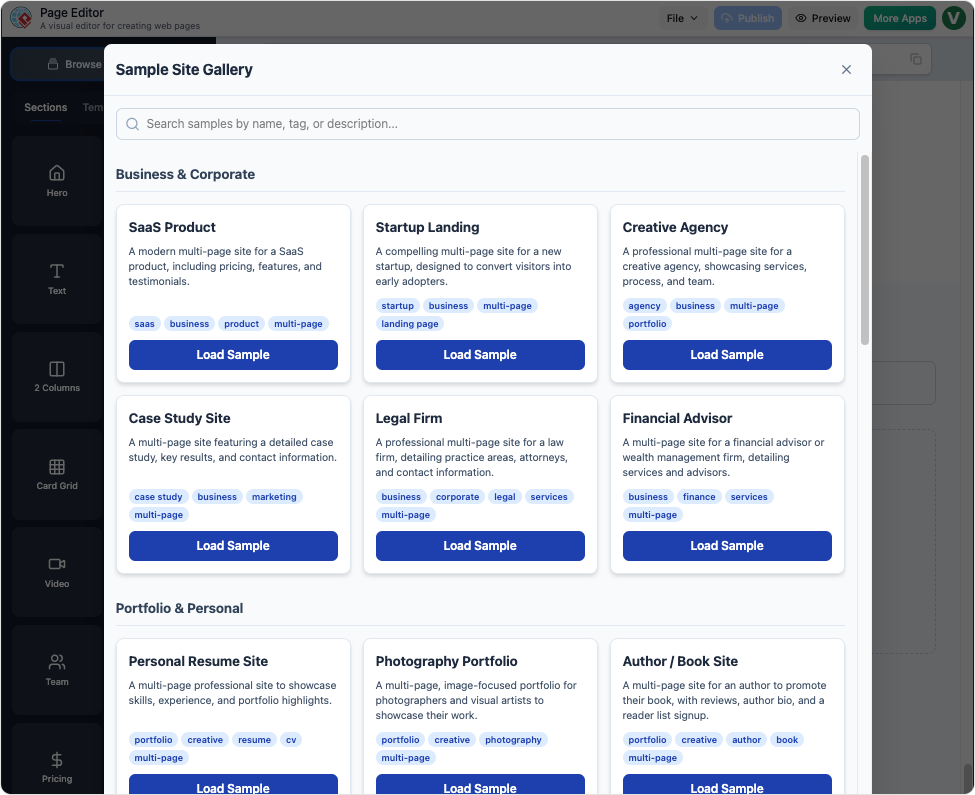
Start Fast with Professional Templates

You don’t have to be a designer to have a beautiful website. If you don’t want to start from scratch, pick one of our ready-made templates and make it your own in minutes.

  • One-Click Starting Point

    Choose a template that fits your project—whether it's a landing page, a portfolio, or a business site—and it loads instantly.

  • Fully Customizable

    Every template is just a starting point. You can still add, remove, or move sections around using our easy "click-and-drag" tools.
Common Use Cases

Page Editor is designed for anyone who needs a beautiful, functional website launched quickly, without needing to hire a developer or learn to code.

Small Business Owners

Creating a service brochure, local business site, or online menu.

Get online immediately with professional design, enabling you to attract local customers without development costs.

Freelancers & Consultants

Building a portfolio, personal branding site, or lead generation landing page.

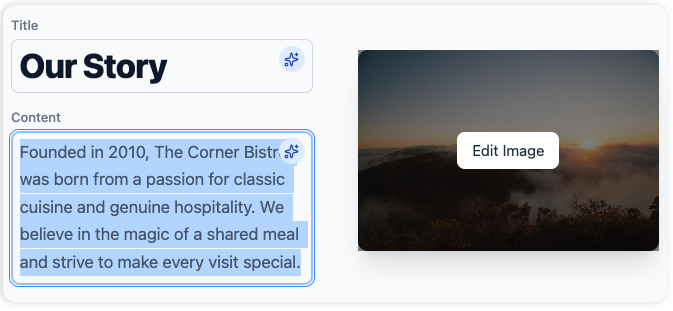
Showcase your work with elegant galleries and use AI to quickly draft compelling “About Me” sections.

Event Organizers

Designing event registration pages, conference sites, or wedding announcement sites.

Utilize templates and easily add sections like maps, schedules, and registration forms.

Developers/Designers

Rapid prototyping, creating internal documentation sites, or building client mock-ups.

Bypass front-end coding for simple sites and focus your time on complex application logic instead.

Key Features

Modular Drag-and-Drop Interface

Click, Stack, and Move Choose pre-built sections like galleries or pricing tables from the menu. Just click to add them and drag to reorder. It’s that simple.

AI-Powered Content Creation

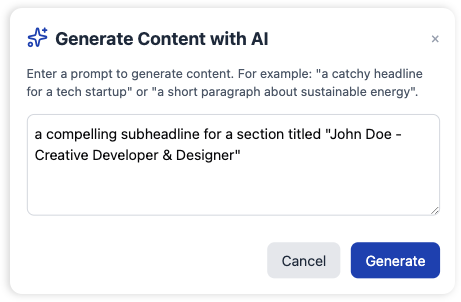
AI-Written Content Stop staring at a blank screen. With one click, our AI writes professional headlines, descriptions, and buttons for you, perfectly tailored to your site.

Rich Template Library

Designer Templates Start fast with ready-made layouts for any project. Whether it’s for a restaurant or a tech site, just pick a look and start customizing.

Multi-Page Site Management

Complete Site Management Move beyond simple landing pages. Quickly create and link dedicated pages for your whole business, keeping your entire site organized and professional.

Not at all. We built this for people who want a professional website without the technical headache. Our AI handles the writing and initial layout, while our "Click-and-Stack" system ensures your design always looks perfectly aligned. If you can use a mouse, you can build a site here.

You can build a complete, multi-page website. Unlike many simple builders that limit you to one long page, our editor lets you easily add dedicated pages for "About Us," "Services," "Blogs," and more. You can manage all your pages and links from one simple menu.

The AI gives you a perfect head start, but you have total control after that. You can swap out images, rewrite the AI’s text, add new sections from our library, or drag existing sections into a different order. It’s your site—the AI just does the heavy lifting to get you started.

Yes, automatically. Every section and template in our library is "responsive," which is just a fancy way of saying they resize themselves to look great on any screen. You don't have to do any extra work to make sure your mobile visitors have a great experience

Never Stare at a Blank Page Again

Say goodbye to writer’s block. Our editor features an integrated Content Assistant that generates professional copy on demand.

Loading

Signing-in 3 seconds...

Signing-up 3 seconds...