 Visual Paradigm Desktop |
  Visual Paradigm Online
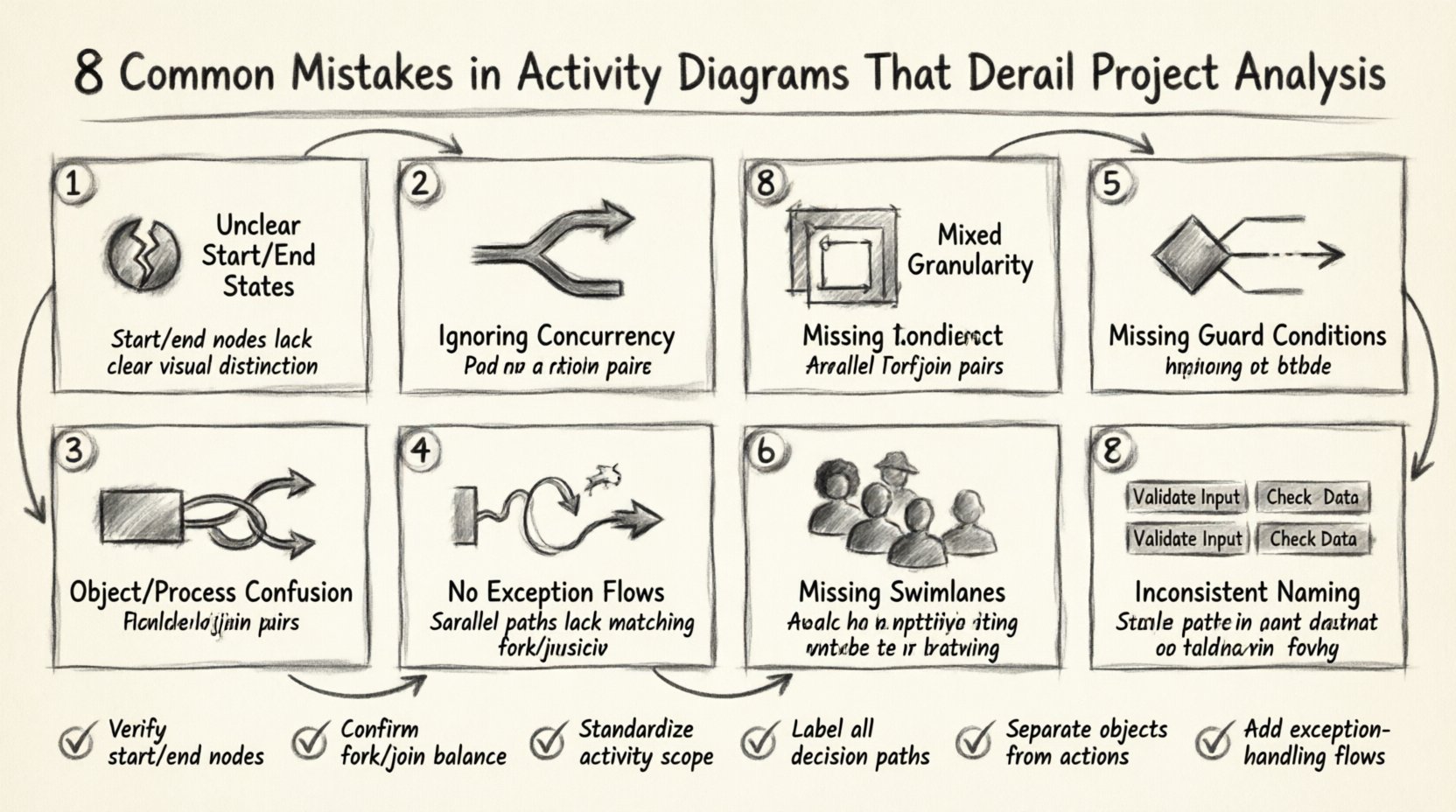
Activity diagrams are a cornerstone of system design and business process modeling. They provide a visual representation of the flow of control and data within a system. When crafted correctly, they serve as a blueprint for developers, a validation tool for stakeholders, and a roadmap for testing. However, when constructed with errors or ambiguities, they can lead to significant misunderstandings, rework, and project delays. This guide examines the frequent pitfalls encountered during the modeling phase and offers strategies to maintain clarity and precision.
An activity diagram maps out the dynamic behavior of a system. Unlike static structure diagrams, it focuses on the sequence of actions and the conditions under which they occur. In project analysis, these diagrams bridge the gap between high-level business requirements and technical implementation. They help answer critical questions:
Despite their utility, many teams treat these diagrams as mere documentation exercises rather than analytical tools. This mindset often leads to structural flaws that compromise the integrity of the project analysis.
One of the most fundamental errors is failing to define clear initial and final nodes. An activity diagram must begin with a single solid black circle (Start Node) and end with a solid black circle surrounded by a ring (Final Node).
Without a defined entry point, it is impossible to trace the origin of a process flow. Without a defined exit point, the end condition of the workflow remains ambiguous. This ambiguity creates confusion during requirements gathering.
Ensure every diagram explicitly marks the first action. Use a distinct shape for the final node. If a process can end in failure, model an explicit Final Node for that path as well. Do not leave arrows pointing to nowhere.
Real-world systems rarely operate in a strictly linear fashion. Multiple processes often occur simultaneously. Activity diagrams allow for concurrency using Fork and Join bars. Ignoring this feature forces a linear interpretation on a parallel reality.
When concurrency is mismanaged in the diagram, the resulting architecture is flawed. This leads to race conditions in the code and synchronization issues in the database.
| Scenario | Incorrect Modeling | Correct Modeling |
|---|---|---|
| Payment Processing | Verify Card → Send Email → Charge Bank | Verify Card → [Fork] → Send Email & Charge Bank → [Join] |
| Data Sync | Read DB → Write DB | Read DB → [Fork] → Cache & Log → [Join] → Write DB |
Activity diagrams are hierarchical. A single diagram should not attempt to show every low-level function call or every high-level business decision. The error lies in mixing levels of abstraction within the same view.
If you include steps like “Connect to Database” alongside “Approve Loan”, the diagram becomes cluttered. The first is a technical implementation detail, while the second is a business logic gate.
Use Sub-activity Nodes. If a specific action within the diagram is complex enough to warrant its own diagram, encapsulate it. This keeps the main view clean while preserving detail where needed.
Without guard conditions, the decision diamonds become meaningless. A developer cannot determine the probability of a specific branch being executed. This leads to:
Always label every branch coming out of a decision node. If a branch is the default path (else), label it [Else] or [Default].
Activity diagrams focus on behavior. Sequence diagrams focus on interactions between objects. A common mistake is trying to represent object creation or state changes within an activity diagram, confusing the reader.
Adding rectangles representing objects inside an activity flow blurs the line between control flow and data flow. While activity diagrams can show object creation, they should not be used to map the entire lifecycle of a data entity.
This leads to a diagram that is too dense. Stakeholders focus on the data objects rather than the process logic. The diagram loses its primary purpose: clarifying the steps required to achieve a goal.
Most diagrams focus on the positive path. The process works, the data is valid, and the user is happy. However, robust analysis requires modeling what happens when things go wrong.
If a step fails (e.g., “Upload File”), where does the flow go? If it is not modeled, the system is assumed to crash or hang. A complete analysis must include:
Explicitly model error handling paths. Use Exception Nodes where appropriate. Show the recovery process. Does the user get a retry option? Is the transaction rolled back? This level of detail is vital for system resilience.
Activity diagrams often involve multiple actors: Users, Systems, Databases, and External APIs. Without swimlanes, it is unclear who or what is performing each action.
A generic action box labeled “Process Data” does not indicate if the User triggers it, a background job runs it, or a third-party API handles it. This ambiguity causes handoff errors during development.
Divide the diagram into vertical or horizontal lanes. Each lane represents a specific actor or system component. This visual separation clarifies:
Labels on activities should be action-oriented verbs. However, teams often use inconsistent terminology. One diagram might say “Save User”, while another says “Store Account Info”. In a large project, these terms refer to the same action.
Inconsistent naming creates cognitive load. Developers spend time deciphering synonyms rather than understanding logic. It also hampers automated documentation generation and searchability within modeling repositories.
Establish a glossary of terms for the project. Ensure all diagrams adhere to this glossary. Use the format Verb + Object for all activity labels (e.g., “Validate Input”, not “Input Validation”).
These modeling errors are not merely cosmetic; they have tangible financial and temporal impacts. Poor diagrams lead to:
To avoid these pitfalls, adhere to the following standards during the design phase:
Before finalizing an activity diagram, run it through this checklist:
By rigorously applying these checks, teams can ensure their activity diagrams serve as accurate reflections of the system’s intended behavior. This precision reduces risk and accelerates delivery.
The goal of modeling is not just documentation; it is communication. A well-constructed activity diagram acts as a contract between the analysis team and the development team. It defines the boundaries of the system’s behavior.
When these diagrams are flawed, the contract is broken. Developers fill in the gaps with their own assumptions, which often diverge from business expectations. Maintaining high-quality diagrams is a discipline that requires attention to detail and a commitment to clarity.
Invest time in the modeling phase. The cost of fixing a logic error in a diagram is negligible compared to fixing it in deployed code. Ensure your activity diagrams are robust, clear, and complete. This discipline pays dividends throughout the lifecycle of the project.
