 Visual Paradigm Desktop |
  Visual Paradigm Online
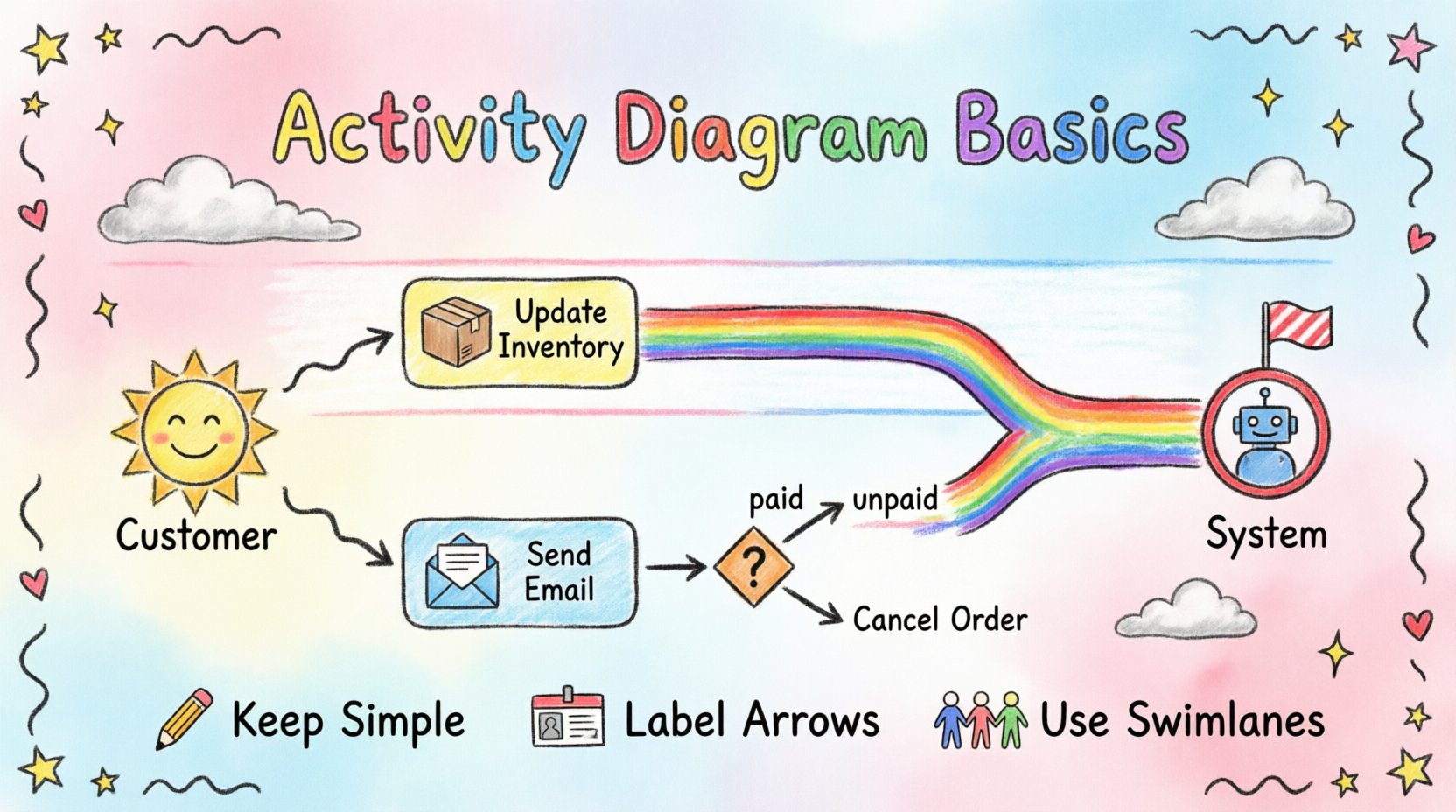
When analyzing complex systems or business processes, visualizing the flow of actions is crucial. An activity diagram serves as a powerful tool for mapping out workflows, decision points, and the interactions between different actors. Whether you are a business analyst defining requirements or a systems architect designing a solution, understanding this diagram type is fundamental. This guide provides a structured overview of the core concepts, symbols, and best practices needed to model processes effectively.
Activity diagrams are part of the Unified Modeling Language (UML). While they look similar to flowcharts, they offer specific notations designed for software and business modeling. Their primary function is to describe the dynamic behavior of a system. They show how objects behave over time and how actions trigger one another.
For beginners, the main goal is to capture the logic of a process without getting bogged down in implementation details. It is about answering questions like:
By answering these questions visually, stakeholders can identify bottlenecks, redundant steps, or logic errors before code is written or policies are enacted.
To create a clear diagram, you must understand the standard notation. These symbols represent the building blocks of the workflow. Below is a breakdown of the essential elements you will encounter.
The following table summarizes the notation for quick reference during your modeling sessions.
| Symbol | Visual Representation | Purpose |
|---|---|---|
| Start Node | Filled Circle | Entry point of the workflow |
| End Node | Double Circle (Filled inside) | Exit point of the workflow |
| Activity | Rounded Rectangle | A specific task or action |
| Decision | Diamond | Branching based on conditions |
| Fork/Join | Thick Bar | Splitting or merging parallel flows |
| Swimlane | Vertical or Horizontal Band | Categorizing by actor or system |
Swimlanes are essential for clarifying responsibility. In a complex business process, multiple entities interact. Without swimlanes, a diagram can become a tangled web where it is unclear who does what. Swimlanes can be organized by:
When drawing, place the start node in the lane of the entity initiating the process. Direct the flow arrows to cross lanes only when a handoff occurs. This visual separation reduces ambiguity and makes the diagram easier to read for stakeholders from different departments.
Understanding how the flow moves is critical. The arrows represent the sequence of control. However, control flow is not always linear. You must account for alternative paths and loops.
Real-world processes rarely follow a single straight line. Decisions dictate the path. When using a decision node, label every outgoing arrow with a specific condition. For example, if the flow splits based on a payment status, label one path “Paid” and the other “Unpaid”. This ensures the diagram is unambiguous.
Processes often involve iteration. A common example is a retry mechanism or a data validation loop. If an action fails, the flow might return to a previous step. Ensure that loops have a clear exit condition to prevent infinite modeling.
Many modern systems operate in parallel. For instance, when a user places an order, the system might simultaneously send an email confirmation and update the inventory database. A fork node allows you to represent these simultaneous actions. A join node ensures that subsequent steps wait for all parallel tasks to finish before proceeding.
To illustrate these concepts, consider a standard e-commerce order processing workflow. This example demonstrates how to structure a diagram using swimlanes and logic.
The process begins with a customer placing an order. This action occurs in the Customer swimlane. Once the order is received, the flow moves to the System swimlane.
In this scenario, the Inventory Update and Email Notification could happen concurrently. A fork node would split the flow after the order is validated. A join node would merge them before marking the order as Complete. This structure highlights efficiency by showing tasks that do not need to wait for one another.
Creating a diagram is an art as much as it is a science. Adhering to best practices ensures your diagrams remain useful over time.
Avoid cramming too much detail into a single diagram. If a process is complex, break it down into sub-activities or use activity diagrams to describe the high-level flow, and other diagrams for detailed logic. Clarity is more important than completeness.
Use consistent terminology throughout the diagram. If you use “Validate User” in one section, do not use “Check User” in another. Consistent naming reduces cognitive load for readers and prevents confusion regarding what constitutes a step.
Try to arrange activities so that control flow arrows do not cross each other excessively. Crossing lines make the diagram difficult to trace. Use orthogonal lines (90-degree turns) for arrows rather than diagonal lines to improve readability.
While swimlanes are helpful, too many of them can make a diagram extremely wide. If you have more than five or six distinct actors, consider grouping them into broader categories or creating separate diagrams for different aspects of the process.
Even experienced analysts make mistakes. Being aware of common errors helps you refine your work.
An activity diagram does not exist in isolation. It is part of a larger modeling ecosystem. Understanding how it relates to other diagrams strengthens your overall analysis.
Use case diagrams define what the system does from a user perspective. Activity diagrams define how the system performs specific use cases internally. You can use the use case description to trigger the start of an activity diagram.
Sequence diagrams focus on the timing and ordering of messages between objects. Activity diagrams focus on the flow of control. Often, the activity diagram provides the high-level view, while the sequence diagram provides the detailed interaction logic for complex actions within the activity.
State machine diagrams describe the lifecycle of a single object. Activity diagrams describe the flow of activities across the system. If you need to model the state of a specific order (e.g., Pending, Shipped, Delivered), a state machine is appropriate. If you need to model the process of moving the order from Pending to Delivered, use an activity diagram.
Business processes evolve. Systems change. A diagram created today may be obsolete tomorrow. Treat your diagrams as living documents.
Mastering activity diagrams takes practice. It requires a balance between technical accuracy and business clarity. By focusing on clear notation, logical flow, and responsible modeling, you can create diagrams that serve as effective communication tools. They bridge the gap between business requirements and system design, ensuring everyone is aligned on how the process works.
Start with simple flows. Add complexity gradually. Always prioritize the reader’s ability to understand the process. With these foundations, you can confidently model even the most intricate systems.
Remember, the goal is not just to draw a picture, but to facilitate understanding and drive better decisions. Whether you are refining an existing process or designing a new one, the activity diagram remains an indispensable asset in your analytical toolkit.
