Streamline your workflow with AI that helps you generate clear project descriptions, identify critical use cases, and produce professional documentation. Our free tool ensures your project starts with a solid foundation, reducing rework and accelerating your time to market.
Generate Use Case Description in Simple Steps
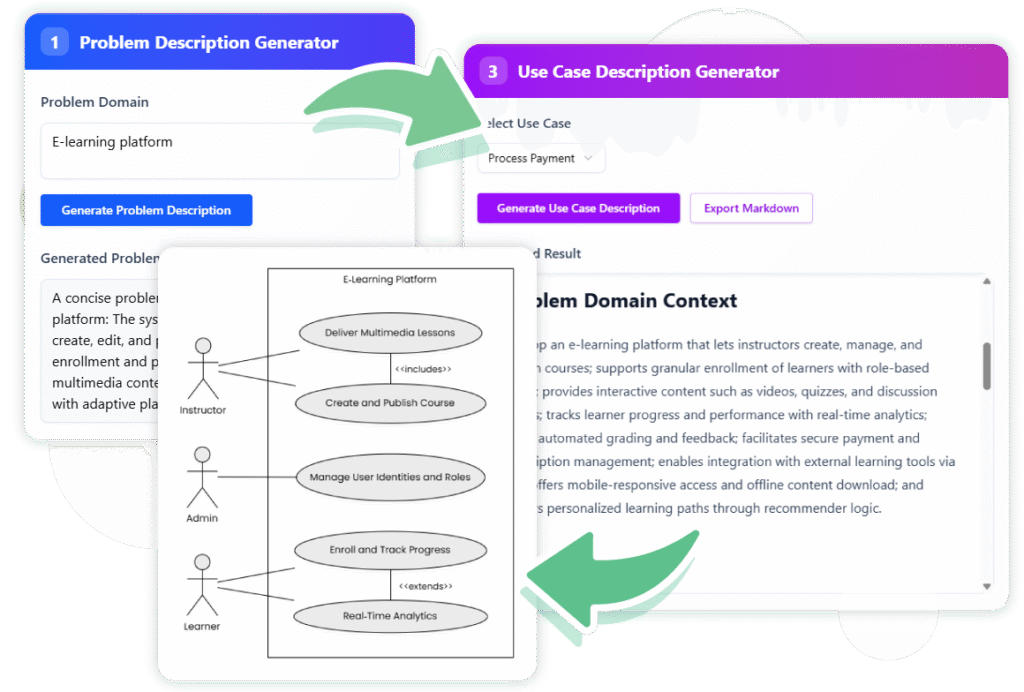
01 | Generate Problem Description
Enter a brief prompt and let our AI analyze your idea to generate a detailed problem statement you can easily edit.
02 | Find Candidate Use Cases
Based on the problem, the AI identifies and lists a table of essential use cases with descriptions and actors.
03 | Create Detailed Reports
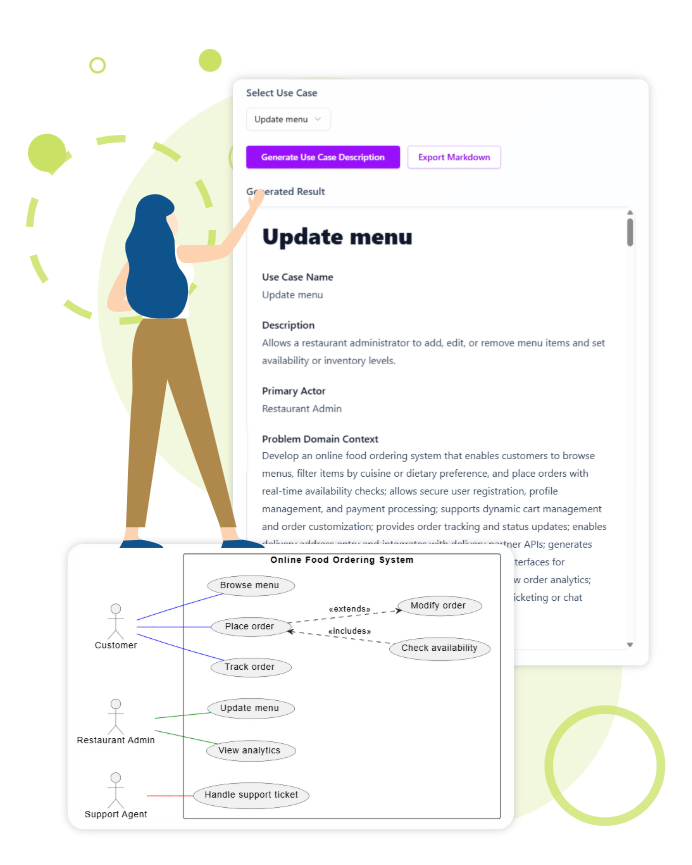
Select a use case to generate a full report. Export it instantly as professional Markdown documentation.
04 | Visualize & Edit Diagrams
Visualize your use cases in a diagram. Open and refine it directly in Visual Paradigm Online for ultimate control.
Key Benefits of Our AI Use Case Generator
Accelerate Clarity from the Start
Go from a simple idea to a detailed, editable problem description in seconds. Our AI’s analysis helps you build a solid, unambiguous foundation for your project, saving hours of manual drafting.
Ensure Comprehensive Coverage
Never miss a critical requirement. The tool automatically generates a list of essential use cases and their actors, providing a comprehensive overview of your system’s functionality and ensuring your team has a clear roadmap.
Seamless Integration and Flexibility
Export your documentation to Markdown or generate as diagram is always a good choice. The ability to open and edit diagrams directly in VP Online gives you the freedom to collaborate and refine your work with precision.
How accurate are the AI-generated descriptions?
Our AI provide highly accurate and relevant descriptions. However, we always recommend reviewing and refining the output to perfectly match your project’s specific needs.
Can I export the generated content?
Yes, you can export the generated use case descriptions in Markdown format, and use case diagrams as SVG images. This makes it easy to integrate with your existing documentation workflows.
Do I need Visual Paradigm Online Diagram Editor to use this tool?
While the core generation features are standalone, the ability to edit diagrams directly within Visual Paradigm Online offers enhanced flexibility and integration with our comprehensive suite of software engineering tools.
Stop Simple Documenting, Start Innovating With Us
Generate your first detailed use case description in minutes and streamline your development process with the help of VP Online AI-powered tool.