
Visual Paradigm Desktop | Visual Paradigm Online

AI-POWERED DIAGRAMMING FOR EVERYONE

Visual Paradigm AI Chatbot

Turn plain English into professional diagrams instantly with the smartest AI-powered diagramming assistant.

AI Chatbot

Why Teams Love Visual Paradigm AI Chatbot

  • Create diagrams up to 10x faster

    Turn text into polished diagrams in seconds, not hours.

  • No prior modeling experience needed

    Just type in plain English and let AI do the rest.

  • Automatically follows UML, SysML, BPMN & ArchiMate standards

    Always correct notation and layout.

  • Higher quality and consistent diagrams

    Clean, professional results every single time.

DESIGN

Start Smarter with AI-Powered Templates

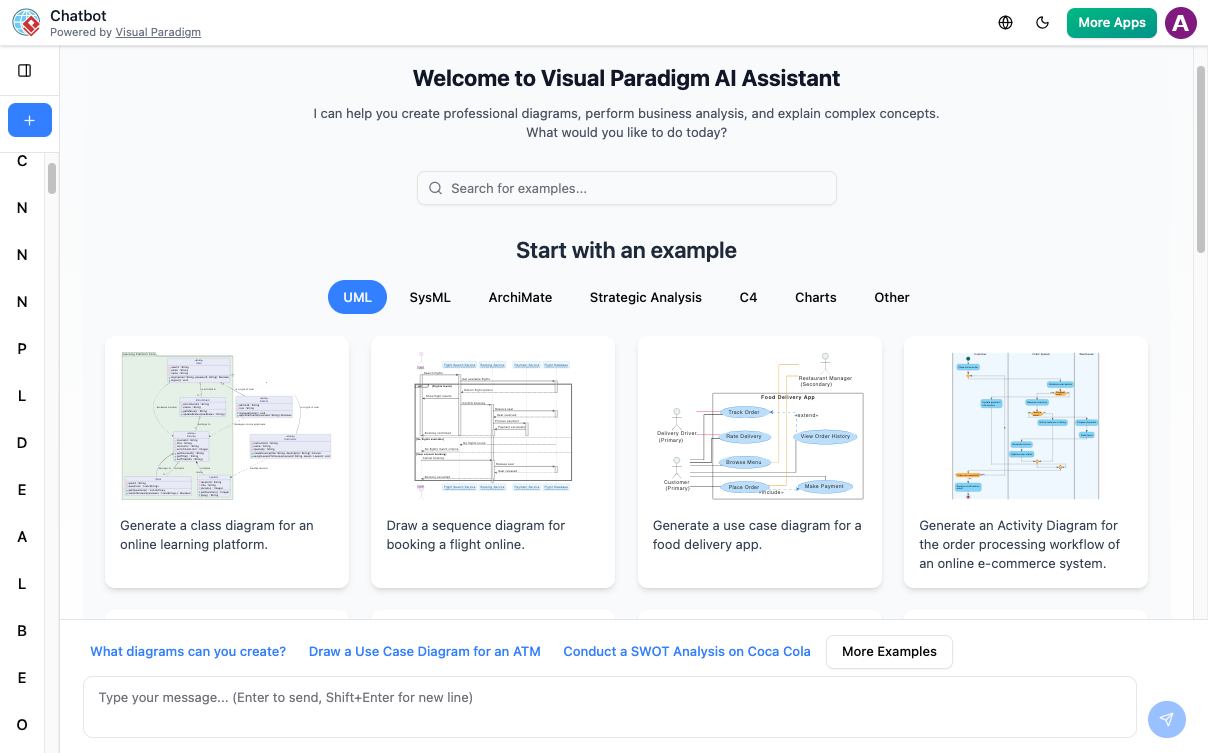
Jumpstart your project with a comprehensive library of industry-standard examples. From complex UML structures to strategic business frameworks, our AI Assistant transforms high-level prompts into precise, editable diagrams in seconds.

Visual Paradigm AI chatbot dashboard featuring automated diagram generation examples for class diagrams, sequence diagrams, and flowcharts.

OUTPUT

Availability & Integration

The AI Assistant is a cloud-powered co-pilot built directly into both the VP Online web suite and Visual Paradigm Desktop.

  • Web

    Quick access for brainstorming and real-time team collaboration.

  • Desktop

    Deep integration into your modeling environment (Tools > AI Chatbot) for one-click diagram imports and code generation.

  • Sync

    A single account keeps your web-based AI creations and professional desktop projects perfectly in line.
Key Features

Instant Diagram Generation

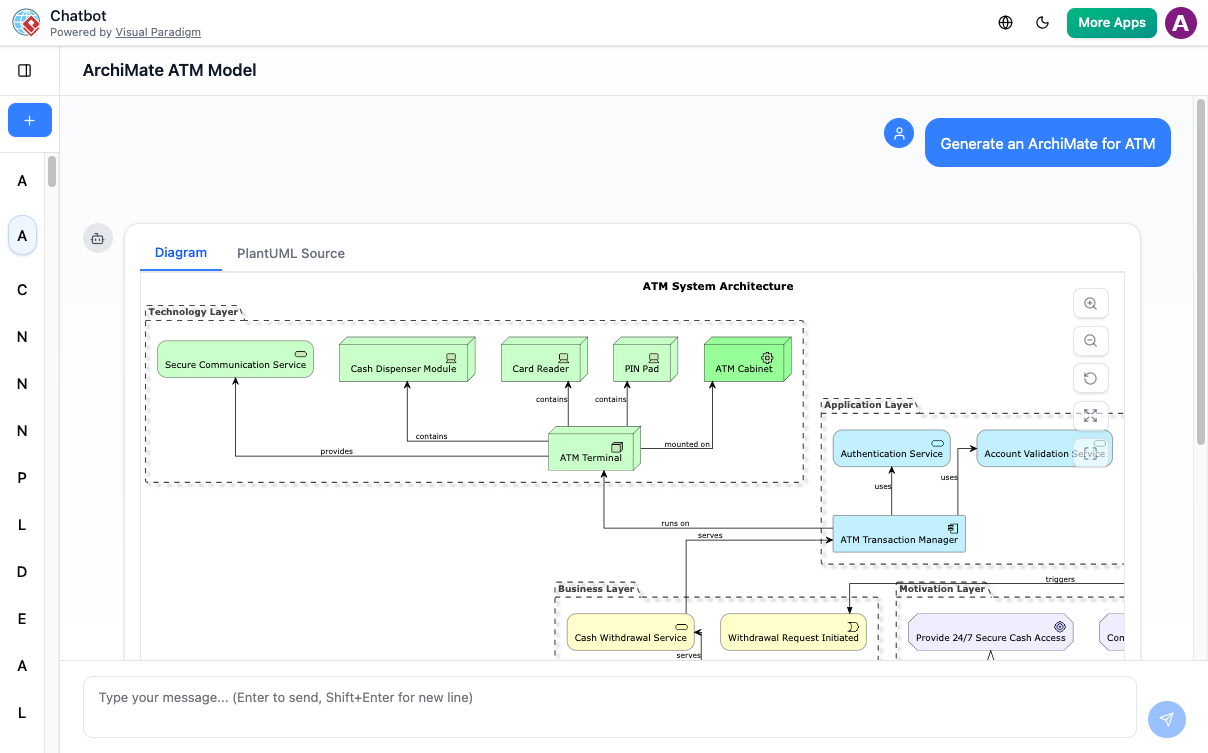
Describe your idea in natural language and get professional UML, BPMN, C4, or ArchiMate diagrams in seconds.

Seamless Integration

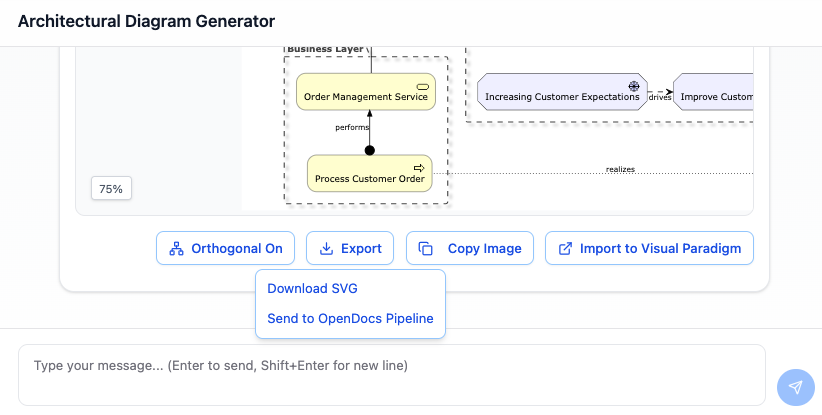
Export diagrams directly to Visual Paradigm Online or Desktop for further editing and collaboration.

Intelligent Analysis

Ask questions about your diagram and receive smart suggestions, gap analysis, and best practices.

Not at all. You can describe your system or process in plain English (e.g., "Create a login flow for a mobile app"), and the AI will automatically apply the correct modeling rules and notations for yo

Yes. Every diagram generated is 100% editable. You can use conversational commands like "Add a 'Forgot Password' step" or open the diagram in the professional editor to manually move shapes and change styles

The AI supports a vast range of standards, including UML (Class, Sequence, Use Case), Strategic Analysis (SWOT, PEST, Value Stream Maps), C4 Models, BPMN, and Flowcharts.

Ready to see your ideas in motion?

Stop drawing and start describing. Join thousands of architects and analysts who use Visual Paradigm AI to build professional diagrams in seconds.

Loading

Signing-in 3 seconds...

Signing-up 3 seconds...