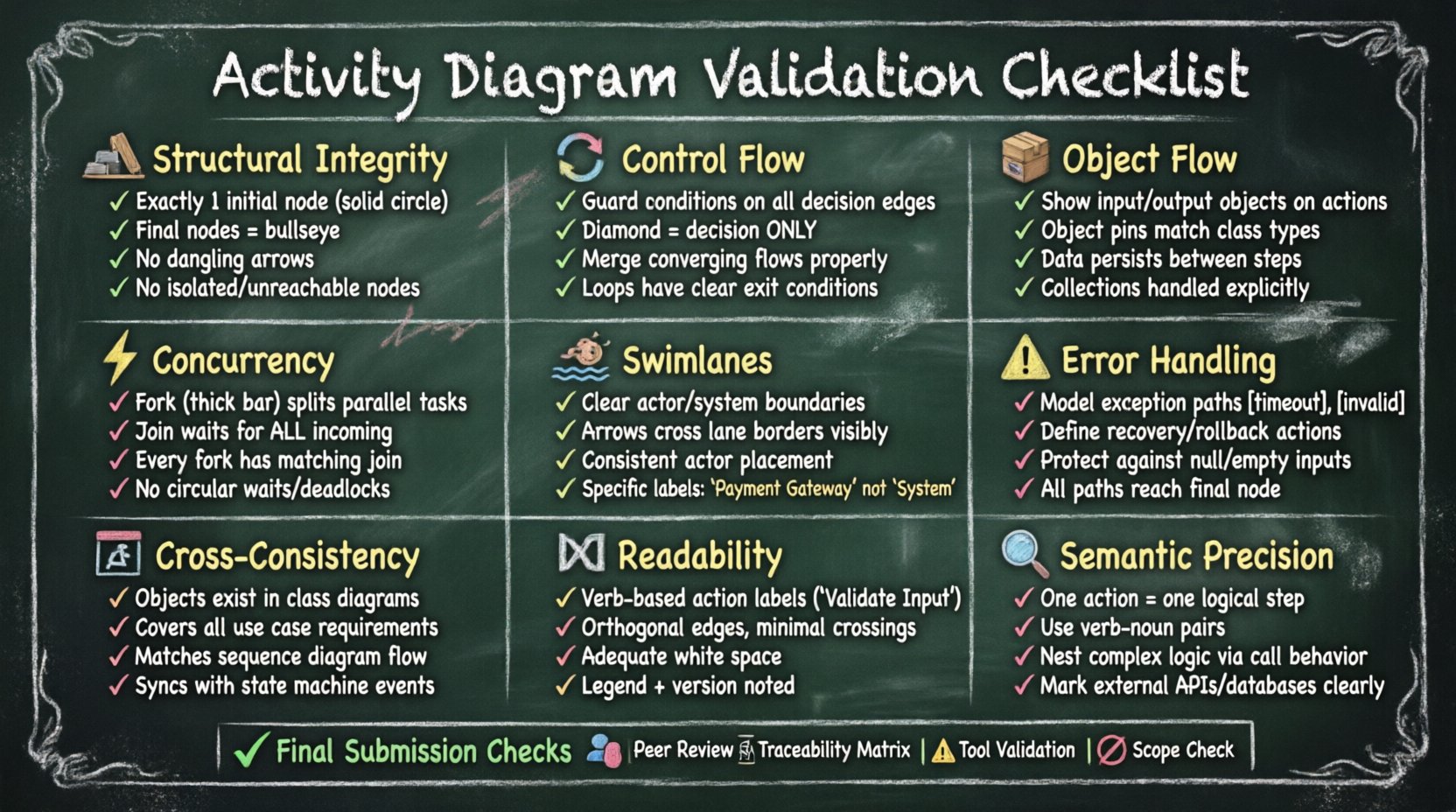
Activity diagrams serve as the backbone of system behavior modeling. They translate abstract business processes into visual workflows that developers and stakeholders can interpret. When these diagrams contain structural or logical errors, the downstream impact on system architecture and implementation can be severe. A diagram that looks correct visually may fail under scrutiny during the implementation phase. This guide provides a rigorous framework for reviewing your work. It focuses on semantic correctness, structural integrity, and clarity.
Validation is not merely a final step; it is an iterative process embedded within the design phase. By adhering to a structured checklist, you reduce the risk of ambiguity. Ambiguity in modeling leads to interpretation variance among team members. Variance leads to bugs, rework, and timeline delays. The following sections detail specific areas that require attention. Each point is explained with technical context to ensure you understand the implication of every check.
1. Structural Integrity and Node Connectivity 🏗️
The foundation of any activity diagram lies in its nodes and edges. These elements define the path of execution. If the connectivity is broken, the model cannot represent a valid flow of control. Start by examining the entry and exit points.
- Initial Node: Ensure there is exactly one initial node. Multiple starting points confuse the execution sequence. The initial node should be a solid filled circle.
- Final Nodes: Verify the presence of activity final nodes. There can be more than one, representing different termination states (e.g., success vs. error). Each final node must be a concentric circle (bullseye).
- Control Flow Lines: Check that every arrow has a clear source and destination. No lines should dangle in empty space. Every edge must connect a node to another node.
- Isolated Nodes: Scan for any action or decision nodes that are not reachable from the initial node. These represent dead code or unreachable logic paths.
Disconnected components often happen when diagrams are assembled from multiple sections. If a part of the workflow is isolated, it implies a process that cannot be triggered. This indicates a gap in the requirements or a missing transition.
2. Control Flow Logic and Decision Merging 🔄
Control flow dictates how the process moves from one action to the next. Decisions and merges are critical here. They introduce branching logic based on guard conditions.
- Guard Conditions: Every edge leaving a decision node must have a guard condition (e.g., [status == active]). Ensure these conditions are mutually exclusive and collectively exhaustive where possible. If no condition is met, the flow halts unexpectedly.
- Decision Node Shape: Use the diamond shape strictly for control flow decisions. Do not use diamonds for object creation or data processing; use action nodes instead.
- Merge Nodes: When multiple flows converge, use a merge node (diamond without an input edge) to combine them. Do not simply draw lines crossing without a merge node if they represent distinct logical paths.
- Looping Logic: If the diagram contains iterations, ensure the loop back path is clear. The flow must eventually exit the loop to prevent infinite execution. Verify that exit conditions are defined on the return edge.
A common error involves placing a merge node where a fork should be, or vice versa. A fork splits control; a merge joins it. Confusing these alters the concurrency semantics of the diagram entirely.
3. Object Flow and Data Consistency 📦
While control flow manages the sequence, object flow manages the data. These two flows must run in parallel and synchronize correctly. An activity diagram is incomplete if it lacks data context.
- Input and Output Objects: Every action node that transforms data should show input and output object flows. Check that an action does not consume an object it does not own or produce.
- Object Pin: Objects must be represented as pins on the action node. Verify that the object type matches the expected data structure defined in your class diagrams.
- Data Persistence: If an object is created in one action, verify it is available for subsequent actions. Ensure no data is lost between nodes without explicit storage or finalization.
- Collection Handling: If the process involves lists or arrays, ensure the action nodes are specified to handle collections (e.g., “Iterate over items”) rather than single items.
Inconsistency between control flow and object flow is a frequent source of integration failures. The control might say “Proceed,” but the data required to execute the next step might not be present. This check ensures your diagram represents a viable data pipeline.
4. Concurrency, Forks, and Joins ⚡
Complex systems often require parallel processing. UML activity diagrams handle this through fork and join nodes. Misusing these nodes can lead to deadlock scenarios or race conditions in the actual system.
- Fork Node: Represented by a thick bar. It splits one incoming control flow into multiple outgoing flows. Ensure the number of outgoing flows matches the intended parallel tasks.
- Join Node: Also a thick bar. It waits for all incoming flows to complete before proceeding. This is critical. If you join only one path while expecting others, the logic breaks.
- Synchronization: Verify that every fork has a corresponding join. Orphaned parallel threads indicate a logic error where some processes never terminate or block others.
- Deadlocks: Check for circular waits. If Thread A waits for Thread B and Thread B waits for Thread A, the diagram models a deadlock. Review the sequence of joins to ensure linear progression.
Concurrency is the hardest part to validate visually. It requires mental simulation of the execution timeline. Ensure that the join node does not synchronize on paths that are not logically dependent.
5. Swimlanes and Partitioning 🏊♂️
Swimlanes organize activities by responsibility. They clarify who (or what system) performs each action. Poor partitioning leads to confusion about ownership.
- Clear Boundaries: Each swimlane should represent a distinct actor, system, or phase. Avoid overlapping responsibilities between lanes.
- Object Flows Across Lanes: When data moves between lanes, draw the arrow crossing the boundary line. Do not let arrows disappear inside a lane and reappear in another without a crossing line.
- Consistency: Ensure the same actor is not split across non-contiguous lanes unless necessary for specific sub-processes. Fragmentation reduces readability.
- Labeling: Every lane must have a clear label. Generic labels like “System” are often too vague. Use specific names like “Payment Gateway” or “Database Service”.
Swimlanes are not just visual aids; they map to implementation architecture. If a swimlane contains logic that technically belongs to another service, your diagram is misleading the development team.
6. Completeness and Error Handling ⚠️
A robust diagram accounts for success and failure paths. It is easy to model the “happy path” and ignore exceptions. However, real-world systems must handle errors gracefully.
- Exception Flows: Look for edges labeled with error conditions (e.g., [timeout], [invalid_input]). These should lead to error handling nodes.
- Recovery Actions: If an error occurs, does the system recover, or does it terminate? Ensure the path leads to a meaningful outcome, such as a rollback or a notification.
- Boundary Conditions: Check for scenarios where input might be empty or null. Ensure actions are protected against these states.
- Termination States: Ensure every path eventually reaches a final node. Paths that loop indefinitely without a break condition indicate a logic flaw.
Ignoring error handling in modeling often results in fragile code. Developers may assume errors cannot happen because the diagram does not show them. Explicitly modeling exceptions forces better defensive programming.
7. Cross-Diagram Consistency 📊
An activity diagram does not exist in isolation. It interacts with other models in the system specification. Validating the diagram requires checking against the broader model ecosystem.
- Class Diagram Alignment: Do the objects used in the activity diagram exist in the class diagram? If an object is referenced, its class must be defined.
- Use Case Consistency: Ensure the activities in the diagram cover the functional requirements outlined in the use cases. If a use case is missing from the diagram, the requirement is not met.
- Sequence Diagrams: If you have sequence diagrams, check if the message flow matches the activity flow. Discrepancies here suggest a mismatch in temporal logic.
- State Machine Consistency: If the system uses state machines, verify that the triggers and events in the activity diagram match the states defined elsewhere.
Inconsistency between diagrams is a red flag for architectural drift. It suggests that different parts of the system were designed without a unified view. Cross-referencing ensures a single source of truth.
Common Validation Errors Matrix
The table below summarizes frequent mistakes and their corrections. Use this as a quick reference during your review process.
| Error Category |
Common Symptom |
Correction Strategy |
| Disconnected Flow |
Arrow ends in white space |
Connect to a valid action or final node |
| Missing Guard |
Decision node edge has no label |
Add condition text (e.g., [True/False]) |
| Orphaned Fork |
Split path never merges |
Add a join node to synchronize threads |
| Ambiguous Actor |
Swimlane label is generic |
Specify specific system or role |
| Data Mismatch |
Action consumes non-existent object |
Define object in class diagram or remove action |
| Unreachable Path |
Node not connected to initial node |
Connect to main flow or remove dead code |
| Infinite Loop |
Loop has no exit condition |
Add break condition to return edge |
8. Readability and Documentation 📝
Technical correctness is useless if the diagram cannot be understood. Readability ensures that the model communicates effectively with the team.
- Labeling: Every action node should have a verb-based label (e.g., “Validate Input”). Avoid nouns or abstract concepts.
- Layout: Use orthogonal routing for edges. Avoid crossing lines where possible. If lines must cross, use a bridge symbol to indicate they do not connect.
- White Space: Do not cram nodes together. Adequate spacing prevents visual clutter and makes tracing paths easier.
- Legend: If you use custom notations or non-standard shapes, provide a legend. Standard UML shapes should not require explanation, but variations do.
- Versioning: Ensure the diagram version is noted. Diagrams evolve. Stale diagrams are dangerous artifacts.
Visual noise distracts from the logic. A clean diagram reduces cognitive load on the reviewer. This is particularly important when diagrams are shared with non-technical stakeholders.
9. Semantic Precision in Actions 🔍
The granularity of action nodes is a common point of contention. They can be too high-level or too detailed.
- Atomic Actions: Actions should represent a single logical step. Avoid combining multiple distinct operations in one node.
- Verb-Noun Pairs: Ensure actions describe what is happening. “Process Order” is better than “Order”.
- Complexity Control: If a sub-process is complex, use a call behavior action to reference a nested activity diagram. Do not expand it fully in the main diagram.
- External Interfaces: Clearly mark interactions with external systems. Use specific icons or labels to denote API calls or database queries.
Over-detailing a diagram makes it hard to see the big picture. Under-detailing makes it useless for implementation. Find the balance where the diagram is actionable but not overwhelming.
Final Considerations for Submission ✅
Before handing over your work, perform a final pass. This is not about finding new errors, but confirming that the previous checks hold up under pressure.
- Peer Review: Have a colleague trace a specific path without looking at the text description. If they get lost, the diagram is not clear enough.
- Traceability Matrix: Map diagram nodes to requirement IDs. Ensure every requirement has a corresponding visual representation.
- Tool Validation: Run any automated syntax checks provided by your modeling environment. Automated tools catch structural errors humans miss.
- Context Check: Ensure the diagram matches the current scope. Do not include features that are out of scope for this release.
Validation is the bridge between design and reality. A well-validated activity diagram reduces friction during development. It serves as a contract between the design intent and the code output. By following this checklist, you ensure that the contract is honored. The effort invested in checking the diagram pays off in reduced debugging time and higher system reliability.
Remember that modeling is a communication tool. The goal is not just to create a picture, but to ensure that the picture is accurate. Accuracy is achieved through rigorous checking. Use this guide as a standard operating procedure for your modeling workflow.