
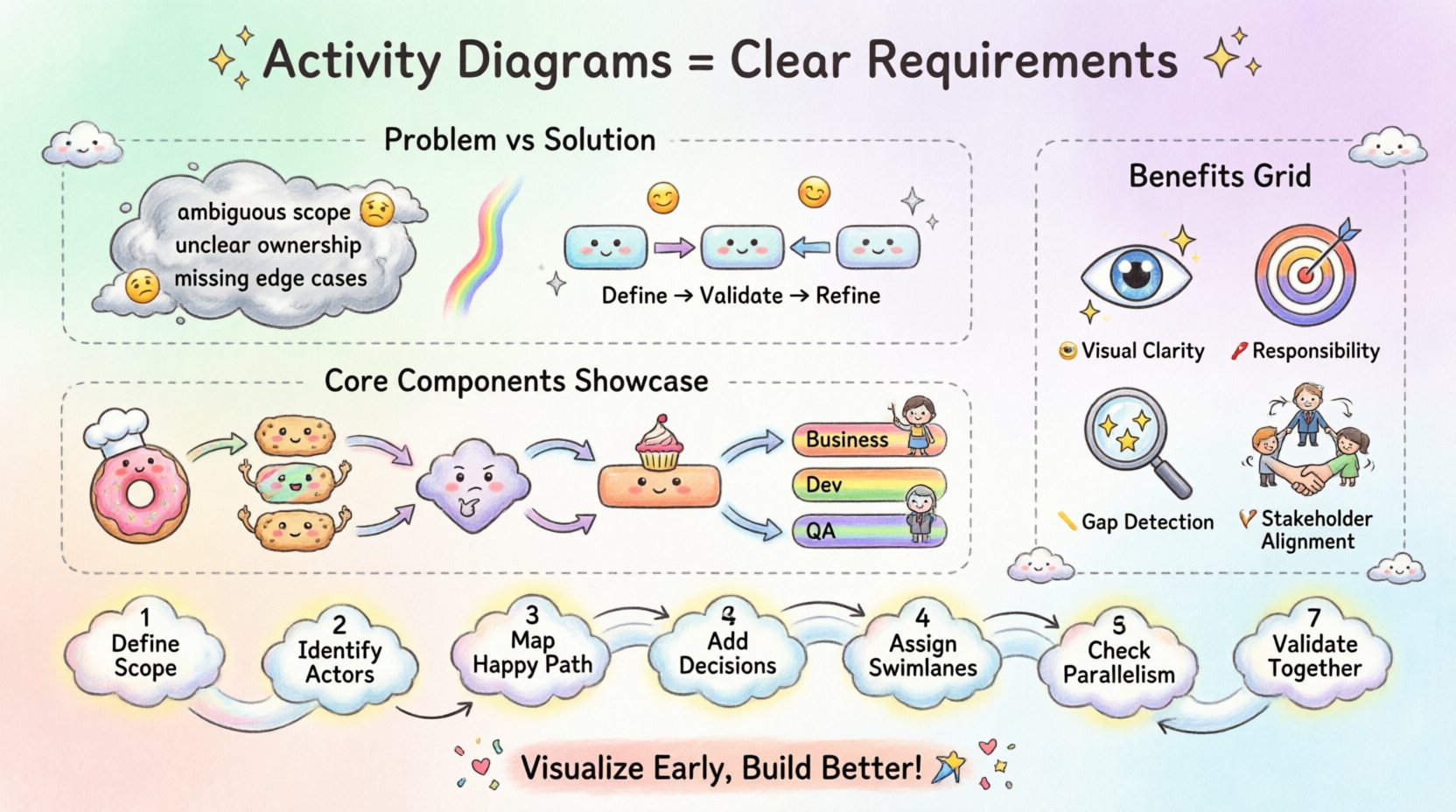
Defining what a system should do is often the most challenging part of software development. Text-based specifications can be ambiguous, leading to misunderstandings between stakeholders and technical teams. When requirements are unclear, the cost of fixing errors increases exponentially as the project progresses. This is where visual modeling becomes essential. Specifically, the activity diagram serves as a powerful tool for clarifying logic and flow during the initial phases of a project. By translating abstract ideas into concrete visual representations, teams can identify gaps, validate processes, and align expectations before writing a single line of code.
Human brains process visual information faster than text. A wall of text describing a complex transaction flow is difficult to parse mentally. In contrast, a diagram allows the reader to see the path of data and decision points instantly. This visual clarity reduces cognitive load and helps stakeholders grasp the system behavior without needing deep technical knowledge.
When requirements are documented only as text, several risks emerge:
An activity diagram bridges this gap. It provides a standard notation that represents the workflow of a business process or a use case. It focuses on the sequence of actions and the conditions that determine which action happens next. This approach ensures that everyone involved—from the client to the engineer—sees the same picture of the intended functionality.
An activity diagram is a behavioral diagram in the Unified Modeling Language (UML). While it shares similarities with flowcharts, it is more robust. It handles concurrency, swimlanes, and complex decision logic in ways that standard flowcharts often struggle with. In the context of requirements engineering, it acts as a dynamic blueprint.
Unlike a static class diagram that shows structure, an activity diagram shows behavior over time. It maps out the flow from an initial state to a final state, passing through various activities and decisions along the way. This makes it ideal for modeling:
The core strength of this diagram lies in its ability to show control flow. It answers questions like: What happens after this step? What happens if the condition is false? Can these two steps happen at the same time? By answering these questions visually, the diagram prevents logical errors from propagating into the design phase.
To build effective requirements models, one must understand the symbols used. Each shape and arrow carries a specific meaning. Relying on these standard elements ensures that the diagram is readable by anyone familiar with the notation.
Every process has a beginning and an end. The solid filled circle represents the start node, where the action flow initiates. The black circle surrounded by a ring represents the final node, indicating where the flow terminates. These markers provide clear boundaries for the requirement being modeled.
Rounded rectangles represent actions or steps within the process. These are the functional units, such as “Validate User,” “Calculate Tax,” or “Send Email.” Each activity should be atomic, meaning it represents a single, coherent task.
Logic requires choices. A diamond shape represents a decision node. It takes one incoming flow and branches into multiple outgoing flows based on a condition. A merge node combines multiple incoming flows back into a single path. This structure is crucial for handling conditional logic in requirements.
Complex systems often run multiple tasks simultaneously. A thick horizontal or vertical bar represents a fork, splitting one flow into multiple concurrent threads. A join bar waits for all incoming threads to complete before continuing. This allows modelers to represent parallel processes without confusion.
Responsibility is key in any system. Swimlanes divide the diagram into vertical or horizontal sections, assigning activities to specific actors or systems. This clarifies who or what is responsible for each action, preventing confusion about system boundaries.
Creating a robust activity diagram requires a methodical process. Rushing through the creation often leads to incomplete models. The following steps outline a disciplined approach to building requirements models.
One of the most significant advantages of using activity diagrams is the swimlane feature. In text requirements, responsibility is often buried in sentences. “The system checks the balance, then the bank approves the transfer.” This sentence implies two systems, but it is not explicit. A swimlane diagram makes this explicit.
When activities are placed in separate lanes, the interface between systems becomes visible. This is critical for defining APIs and integration points. It forces the team to consider:
For example, in an order processing system, one lane might represent the “Customer,” another the “Order System,” and another the “Payment Gateway.” This separation highlights exactly where data must be exchanged and where latency might occur.
Understanding the value of activity diagrams is easier when comparing them directly to traditional textual requirements. The table below outlines the differences in clarity, maintenance, and communication.
| Feature | Textual Requirements | Activity Diagrams |
|---|---|---|
| Clarity of Flow | Requires reading entire paragraphs to understand sequence. | Visual path shows sequence immediately. |
| Logic Complexity | Hard to visualize nested conditions and loops. | Decision diamonds and loops are explicit. |
| Responsibility | Often implied or scattered across sections. | Swimlanes assign ownership clearly. |
| Gap Detection | Errors often found late in testing. | Gaps visible during the modeling phase. |
| Stakeholder Engagement | Technical teams prefer text; business users struggle. | Visuals are accessible to non-technical audiences. |
While text is necessary for detailed specifications, it should complement the diagram, not replace it. The diagram provides the overview; the text provides the details.
Requirements often fail because they focus only on the positive path. Users assume the system will always work perfectly. However, real-world scenarios involve failures. Activity diagrams are excellent for mapping these negative paths.
Consider a login process. A textual requirement might say: “User enters credentials and clicks login.” An activity diagram forces the modeler to ask: What if the password is wrong? What if the account is locked? What if the network fails?
By drawing these branches:
This explicit mapping ensures that developers build robust error handling from the start. It prevents the common scenario where a system crashes because an exception was not anticipated in the requirements phase.
Even experienced modelers can create diagrams that are confusing or misleading. Avoiding these common pitfalls ensures the diagram remains a useful tool rather than a source of confusion.
An activity diagram does not exist in isolation. It works best when integrated with other modeling artifacts. This creates a cohesive documentation set that covers all aspects of the system.
Use case diagrams define what the system does from a user perspective. Activity diagrams define how the system does it. The activity diagram can expand on a specific use case to show the internal logic.
Sequence diagrams focus on object interactions over time. Activity diagrams focus on the flow of actions. They can be used together to ensure the logic flow matches the object interactions.
State machine diagrams track the state of an object. Activity diagrams track the process flow. Sometimes, an activity triggers a state change, linking the two models.
The primary goal of requirements engineering is alignment. Activity diagrams serve as a common language for diverse groups.
When everyone sees the same diagram, the risk of miscommunication drops significantly. It becomes easier to identify scope creep because adding a new step is visually obvious.
Requirements change. Systems evolve. A static document quickly becomes outdated. An activity diagram should be treated as a living artifact. It needs updates whenever the business logic changes.
Best practices for maintenance include:
Keeping the diagram current ensures that it remains a reliable reference throughout the project lifecycle. If the diagram is ignored, it becomes a relic that no one trusts.
Investing time in creating high-quality activity diagrams during the early stages pays dividends later. It is a preventative measure against costly rework. By visualizing the logic, teams can spot flaws when they are cheap to fix. The diagram acts as a contract between the business vision and the technical implementation.
It is not about creating perfect drawings for the sake of aesthetics. It is about clarity, precision, and shared understanding. When a team agrees on the flow before coding begins, the development phase becomes smoother and more predictable. The effort spent modeling the activity pays for itself in reduced defects and faster delivery.
Adopting this practice requires discipline, but the result is a more robust system. It transforms requirements from a list of wishes into a map of reality. With clear paths and defined responsibilities, the journey from concept to delivery becomes manageable. The activity diagram is the compass that guides the team through the complexity of modern software systems.