
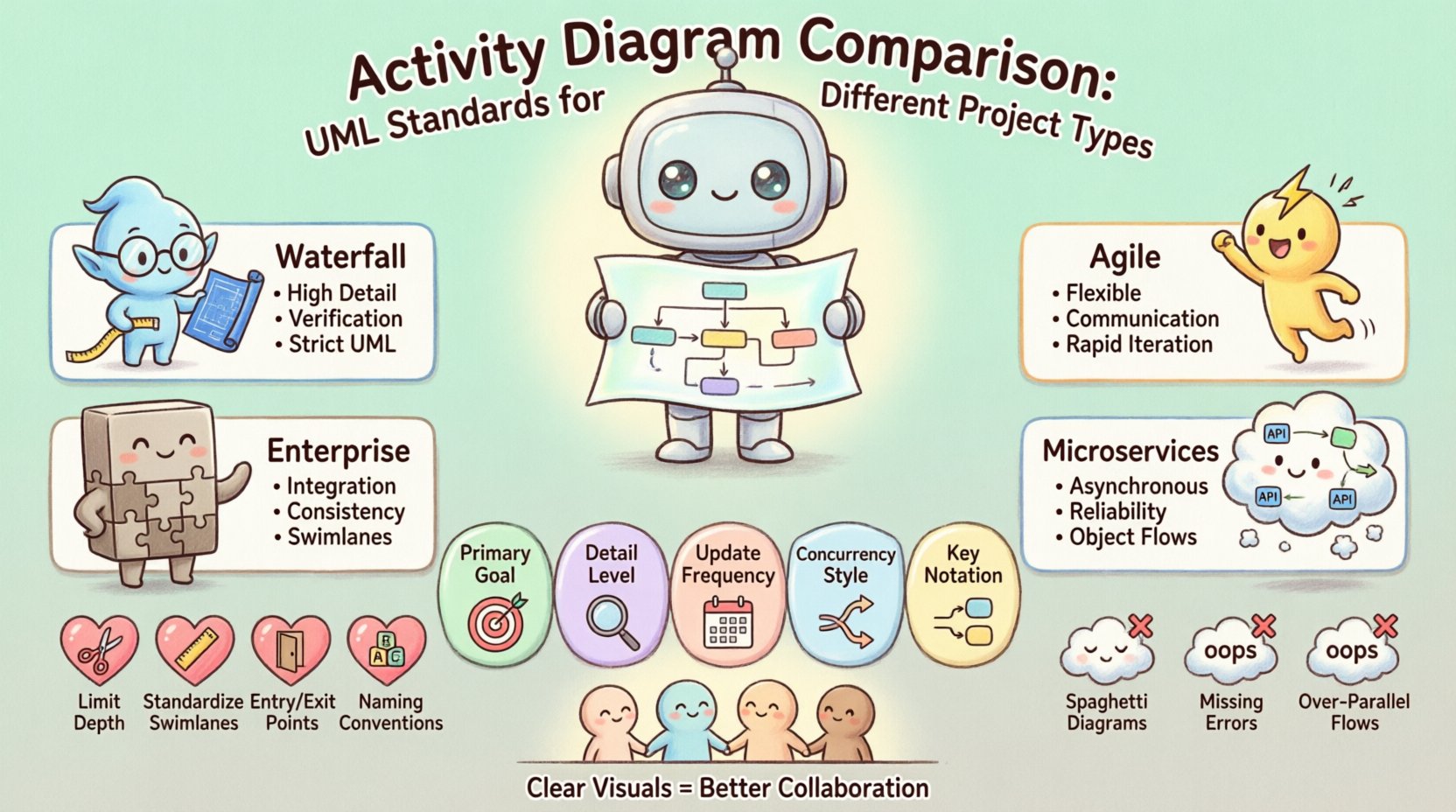
Understanding workflow dynamics is critical in system design. Activity diagrams serve as a cornerstone for visualizing operational logic, offering a clear path from input to output. When teams select specific modeling standards, they are choosing a language that dictates how stakeholders interpret process flows. This guide compares activity diagram structures across various project environments, ensuring the chosen standard aligns with organizational goals and technical constraints.
Whether managing complex enterprise integrations or iterating through rapid software cycles, the choice of modeling granularity impacts clarity. We will explore how different UML standards function within specific contexts, focusing on structural integrity and communication efficiency. This analysis avoids tool-specific biases, focusing purely on the theoretical and practical application of diagramming standards.
Before evaluating specific project types, one must understand the foundational elements of the standard. Unified Modeling Language (UML) activity diagrams represent the dynamic aspects of a system. They map out the flow of control and data.
In modern standards, distinguishing between control flow and object flow is essential:
Early versions of the standard often conflated these. Current iterations maintain a strict separation, allowing for more precise modeling of data dependencies without cluttering the control logic.
Changes in the standard have refined how concurrency and parallelism are depicted:
Adopting the latest standard ensures compatibility with modern analysis tools and clearer semantic meaning for readers.
Different project methodologies require different levels of detail. A diagram that works for a rigid specification document may fail in a fast-paced iteration cycle. We examine four primary project types.
In predictive models, requirements are defined upfront. Activity diagrams here serve as detailed blueprints.
These diagrams often include extensive error handling paths. If a process fails at step five, the diagram must show exactly how the system recovers or terminates.
Agile methodologies prioritize working software over comprehensive documentation. Activity diagrams in this context are living artifacts.
In this environment, diagrams are often created just-in-time. They are not meant to be exhaustive but rather to facilitate conversation during sprint planning.
Large-scale systems involve intricate interactions between legacy components and new services. Here, diagrams map the macro-level business processes.
Complexity management is the primary challenge. Enterprise diagrams often use partitions to isolate specific domains, preventing visual clutter.
Distributed architectures introduce asynchronous communication. Traditional linear diagrams struggle here.
Activity diagrams in this context often highlight the non-blocking nature of services. They must clearly show where a process waits for an external response versus where it proceeds independently.
The table below summarizes the key differences in how activity diagrams are applied across these project types.
| Feature | Waterfall | Agile | Enterprise | Microservices |
|---|---|---|---|---|
| Primary Goal | Verification | Communication | Integration | Reliability |
| Detail Level | Maximum | Minimal | Comprehensive | Technical |
| Update Frequency | Low | High | Medium | High |
| Concurrency Handling | Synchronous | Implicit | Explicit | Asynchronous |
| Key Notation | Swimlanes | Simple Flow | Partitioning | Object Flows |
Regardless of the project type, certain principles ensure the diagram remains effective. Clarity trumps complexity.
A single diagram should not attempt to model an entire system. Break complex processes into sub-diagrams.
Swimlanes provide context. Ensure they are defined consistently throughout the document.
Every activity must have a defined entry and exit. Avoid dangling edges.
Naming is a critical part of the language. Ambiguity leads to misinterpretation.
Even experienced modelers fall into traps that degrade the utility of the diagram. Awareness of these pitfalls helps maintain quality.
Excessive crossing lines make diagrams unreadable. This often happens when trying to force a linear flow into a complex logic structure.
Happy path modeling is insufficient for robust systems. If a network call fails, the diagram should reflect the retry or abort logic.
Not all processes are parallel. Modeling sequential steps as parallel threads adds unnecessary noise.
Confusing data flow with control flow creates confusion. A decision node controls flow, but it does not necessarily create data.
A diagram stands alone only if it is well-documented. Embedding these visuals into larger technical specifications requires care.
This integration ensures that the visual representation remains synchronized with the system’s evolution. It also allows auditors or new team members to understand the rationale behind specific design decisions.
There are subtle technical distinctions that affect how diagrams are interpreted in different environments.
In strict UML standards, tokens move along edges. Understanding token consumption is vital.
Activity diagrams can represent the lifecycle of objects within a process.
Selecting the right modeling standard is a strategic decision. It impacts how information flows through the organization. Teams should evaluate their specific needs against the capabilities of the standard.
There is no single correct way to model every process. The goal is effective communication. By understanding the differences between project types and adhering to core standards, teams can create diagrams that add genuine value to the development lifecycle.
Continuous improvement of modeling practices leads to better system designs. Regular reviews of existing diagrams can identify areas where the notation is unclear or where the complexity exceeds the necessity. Adjusting the level of abstraction based on feedback ensures the diagrams remain useful assets rather than obsolete artifacts.
Ultimately, the success of an activity diagram lies in its ability to convey intent. When the visual language matches the operational reality, collaboration improves, and errors decrease. This alignment is the true measure of a well-constructed model.