
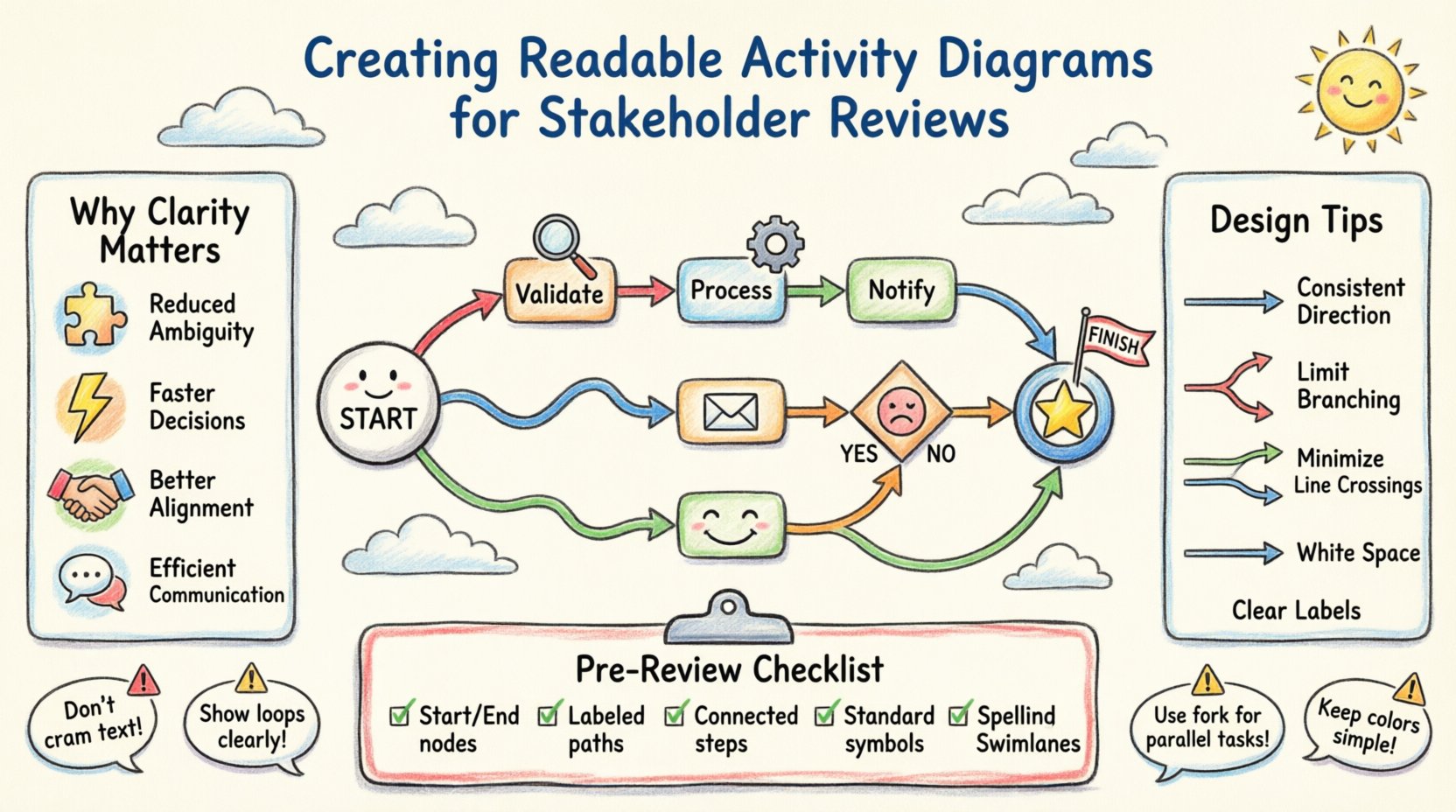
Visual communication serves as the backbone of successful business process analysis. When stakeholders review technical workflows, they require clarity above all else. An activity diagram is a powerful tool for representing the flow of control from one activity to another. However, complexity often leads to confusion. This guide details how to construct activity diagrams that communicate effectively without overwhelming your audience. By focusing on structure, notation, and intent, you ensure that the process is understood by everyone involved.
Stakeholders come from diverse backgrounds. Some are technical experts, while others focus on business strategy or financial outcomes. A diagram that relies heavily on jargon creates barriers. The goal is to make the workflow transparent. When a diagram is readable, it reduces the time spent in meetings explaining the basics. It allows the team to focus on optimization rather than interpretation.
Consider the following benefits of a well-structured activity diagram:
Investing time in the design phase pays dividends during the review phase. A messy diagram suggests a messy process. Conversely, a clean diagram implies a disciplined approach to problem-solving.
Before creating the visual elements, it is essential to understand the underlying logic. An activity diagram maps the sequence of actions. It begins with an initial node and concludes with a final node. Along the way, activities, decisions, and forks occur. The flow represents the lifecycle of a specific task or transaction.
The structure generally follows these components:
Understanding these elements ensures you do not skip critical steps. Every diagram should tell a complete story from start to finish.
Starting to draw immediately often leads to rework. Preparation ensures the final output meets the needs of the reviewers. You must define the scope clearly. What is the process boundary? What are the inputs and outputs? Without these boundaries, the diagram becomes infinite or incomplete.
Follow these preparatory steps:
This groundwork prevents the common pitfall of building a diagram that looks good but fails to represent reality. It is better to have a correct list of steps than a perfect drawing of incorrect steps.
Once the logic is defined, the visual presentation becomes the priority. Readability is not just about aesthetics; it is about cognitive load. Stakeholders should not struggle to trace a line. The layout must guide the eye naturally.
Keep the flow consistent. Use a top-to-bottom or left-to-right direction throughout the diagram. Avoid zigzagging lines unless necessary for a specific layout constraint. Consistency allows the viewer to predict where the next step will appear.
Too many decision nodes in a single column create a “spaghetti” effect. If a decision leads to another decision immediately, consider simplifying the logic. Group related decisions together. If a branch has too many paths, consider creating a sub-activity diagram to handle that specific section.
Crossing lines make the diagram difficult to follow. Arrange nodes so that arrows do not intersect unless absolutely necessary. Use orthogonal lines (horizontal and vertical segments only) rather than diagonal lines. This makes the flow easier to trace.
Do not crowd the diagram. Adequate spacing between nodes helps the eye distinguish separate actions. If the diagram becomes too large, consider breaking it into swimlanes or separate views.
Every arrow and node must have a label. A blank arrow implies a default flow but confuses readers about why that path was chosen. Labels should be concise. Use verbs for actions (e.g., “Validate Input”) and nouns for states (e.g., “Data Stored”).
Using standard notation ensures that anyone familiar with the methodology can read your diagram. Deviating from standards creates confusion. Below is a table outlining the essential symbols you will encounter.
| Symbol | Shape | Usage |
|---|---|---|
| Initial Node | Filled Circle | Starts the process flow. |
| Activity | Rounded Rectangle | Represents a specific action or task. |
| Decision Node | Diamond | Branches the flow based on a condition. |
| Final Node | Double Circle | Ends the process flow. |
| Fork | Thick Horizontal Bar | Splits one flow into multiple parallel flows. |
| Join | Thick Horizontal Bar | Merges multiple parallel flows into one. |
When drawing these symbols, ensure they are uniform in size. A large decision node next to a small activity node creates visual imbalance. Consistency in symbol size contributes to the professional appearance of the document.
Real-world processes are rarely linear. They involve loops, exceptions, and parallel tasks. Managing this complexity is where many diagrams fail. The key is to separate concerns. Do not try to show every exception on the main path.
Strategies for handling complexity include:
By isolating complexity, you allow stakeholders to understand the high-level flow first. Then, they can drill down into specific details if needed.
The review session is where the diagram proves its value. The goal is not to defend the diagram but to validate the process. Stakeholders should feel comfortable pointing out errors. A defensive attitude hinders improvement.
Prepare for the session with these steps:
During the review, prioritize feedback that impacts the logic. Cosmetic changes can be handled later. Logical errors must be fixed before the diagram is finalized.
A diagram is a living document. Processes change over time as requirements evolve. What was accurate last month may be obsolete today. Regular maintenance ensures the diagram remains a reliable reference.
Establish a maintenance routine:
This discipline prevents the diagram from becoming a legacy artifact that no one trusts. It reinforces the diagram as a tool for continuous improvement.
Before sending the diagram to stakeholders, run through this checklist. It ensures the document is ready for professional scrutiny.
| Check | Status | Notes |
|---|---|---|
| Initial Node Present? | ☐ | Does the flow clearly start? |
| Final Node Present? | ☐ | Does the flow clearly end? |
| All Paths Labeled? | ☐ | Are decision arrows marked Yes/No? |
| No Unconnected Nodes? | ☐ | Is every step reachable? |
| Spelling Checked? | ☐ | Are all labels free of errors? |
| Consistent Notation? | ☐ | Are symbols standard? |
| Swimlanes Defined? | ☐ | Are roles clear? |
Completing this checklist reduces the likelihood of basic errors during the presentation. It shows attention to detail and respect for the reviewers’ time.
Even experienced modelers make mistakes. Being aware of common traps helps you sidestep them. The following issues frequently degrade the quality of activity diagrams.
By avoiding these pitfalls, the diagram remains focused on the process logic rather than visual distractions.
How do you know the diagram was effective? Success is measured by the feedback received and the actions taken. If stakeholders sign off without confusion, the diagram succeeded. If the team can implement the process based on the diagram without further questions, the goal was met.
Look for these indicators of success:
These outcomes confirm that the effort invested in creating a readable activity diagram has yielded tangible business value.
While the choice of software is less important than the logic, the tool must support the standards you are using. Ensure the tool allows for easy editing, versioning, and export. Some platforms offer features like automatic layout adjustment, which can save significant time. However, do not rely on automation to fix logical errors. The human mind must still validate the flow.
Focus on the tool’s ability to render the standard symbols correctly. If the tool distorts the diamond shape of a decision node, it may confuse the viewer. Verify that the export format preserves the visual integrity when shared with stakeholders who may not use the same software.
An activity diagram rarely exists in isolation. It should link to other artifacts such as use case diagrams, sequence diagrams, and requirement documents. Cross-referencing these documents creates a cohesive system model. When a stakeholder reads a requirement, they should be able to click through to the activity diagram for the detailed flow.
This integration ensures consistency across the project documentation. It prevents the scenario where the diagram says one thing and the requirements document says another. Maintain a central repository for all process-related artifacts.
The ultimate goal of an activity diagram is communication. It bridges the gap between technical implementation and business understanding. When you create a diagram, you are translating abstract logic into a visual language. This translation requires patience and precision.
By following the principles outlined in this guide, you create a resource that stands the test of time. Stakeholders will trust the diagram because it is clear, accurate, and maintained. This trust leads to better collaboration and more successful project outcomes. Remember that a diagram is a tool for thinking, not just a tool for displaying. Use it to explore, question, and refine the process until it is optimal.